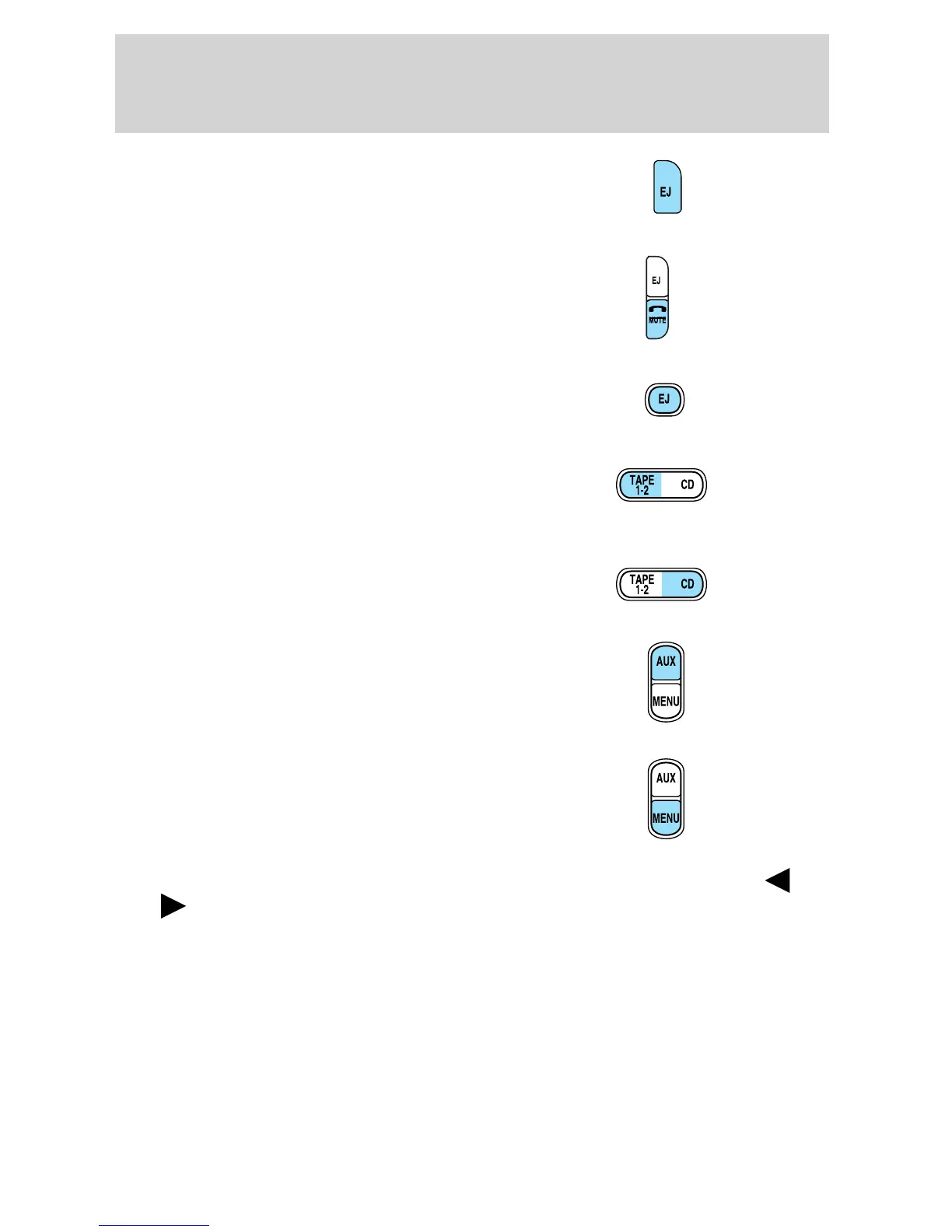
2. CD Eject: Press to eject a CD.
The radio will resume playing.
3. Mute: Press to MUTE playing
media; press again to return to the
playing media.
4. Tape Eject: Press to eject the
cassette. The radio will resume
playing.
5. Tape 1–2/CD: Press to begin
tape play. If a cassette is already
playing, press to change playing
sides.
CD: If a CD is loaded in the radio,
pressing CD will cause the CD to
begin playing.
6. AUX: This control is not
operational.
7. MENU: Press to access the
following functions:
Clock: Press MENU until HOURS or MINUTES is displayed. Press
SEL to decrease/ increase hours or minutes.
Compression: In CD mode, compression brings soft and loud passages
together for a more consistent listening level. Press MENU until
COMPRESS is displayed. Use SEL to toggle on/off.
Dolby: In tape mode, press MENU until DOLBY B XX appears in the
display. Press SEL to toggle ON/OFF.
The Dolby威 noise reduction system is manufactured under license from
Dolby Laboratories Licensing Corporation. Dolby威 and the double-D
symbol are registered trademarks of Dolby Laboratories Licensing
Corporation.
2005 Explorer Sport Trac (p27)
Owners Guide (post-2002-fmt)
USA (fus)
Entertainment Systems
37













 To Next Page