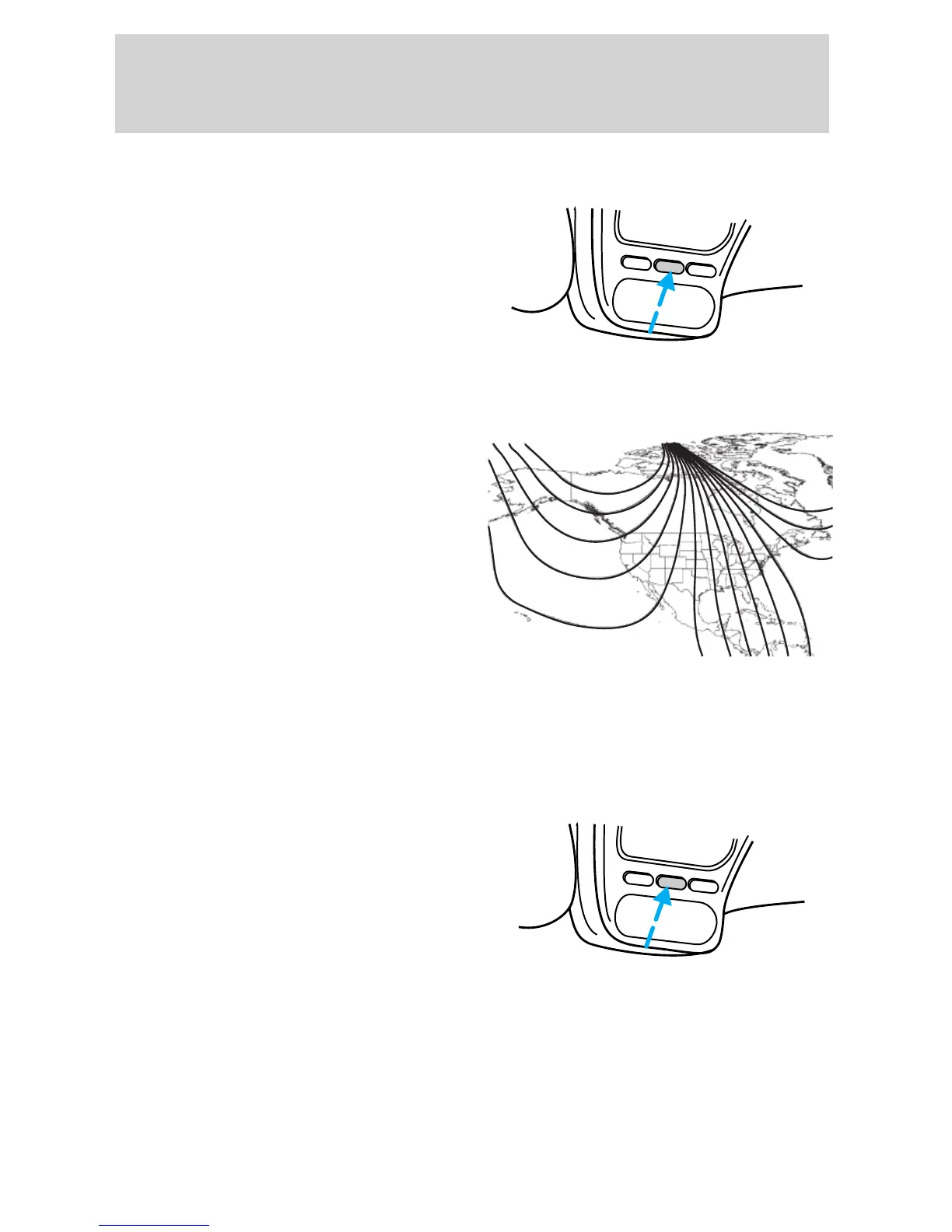
1. Press and hold the MODE
control until “VAR” appears in the
display. The current location
number should be displayed.
2. Press the MODE control
repeatedly until your desired
location number appears in the
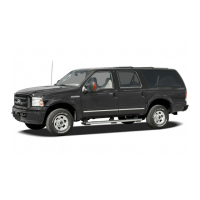
display. Use this zone map to
determine which location number
you should be using.
• Adjusting the calibration of the compass
Note: To adjust the calibration find an open area free from steel
structures and high voltage lines.
1. Press and hold the MODE
control until “CAL” appears in the
display then release the control.
2. Drive slowly (less than 3 mph
[5 km/h]) in circles until “CAL”
disappears from the display
(approximately 2 or 3 circles).
L
A
M
P
M
O
D
E
L
A
M
P
9 VAR
123
4
5
6 7 8 9 1011
12
13
14
15
L
A
M
P
M
O
D
E
L
A
M
P
CAL
2005 Explorer Sport Trac (p27)
Owners Guide (post-2002-fmt)
USA (fus)
Driver Controls
72










 To Next Page