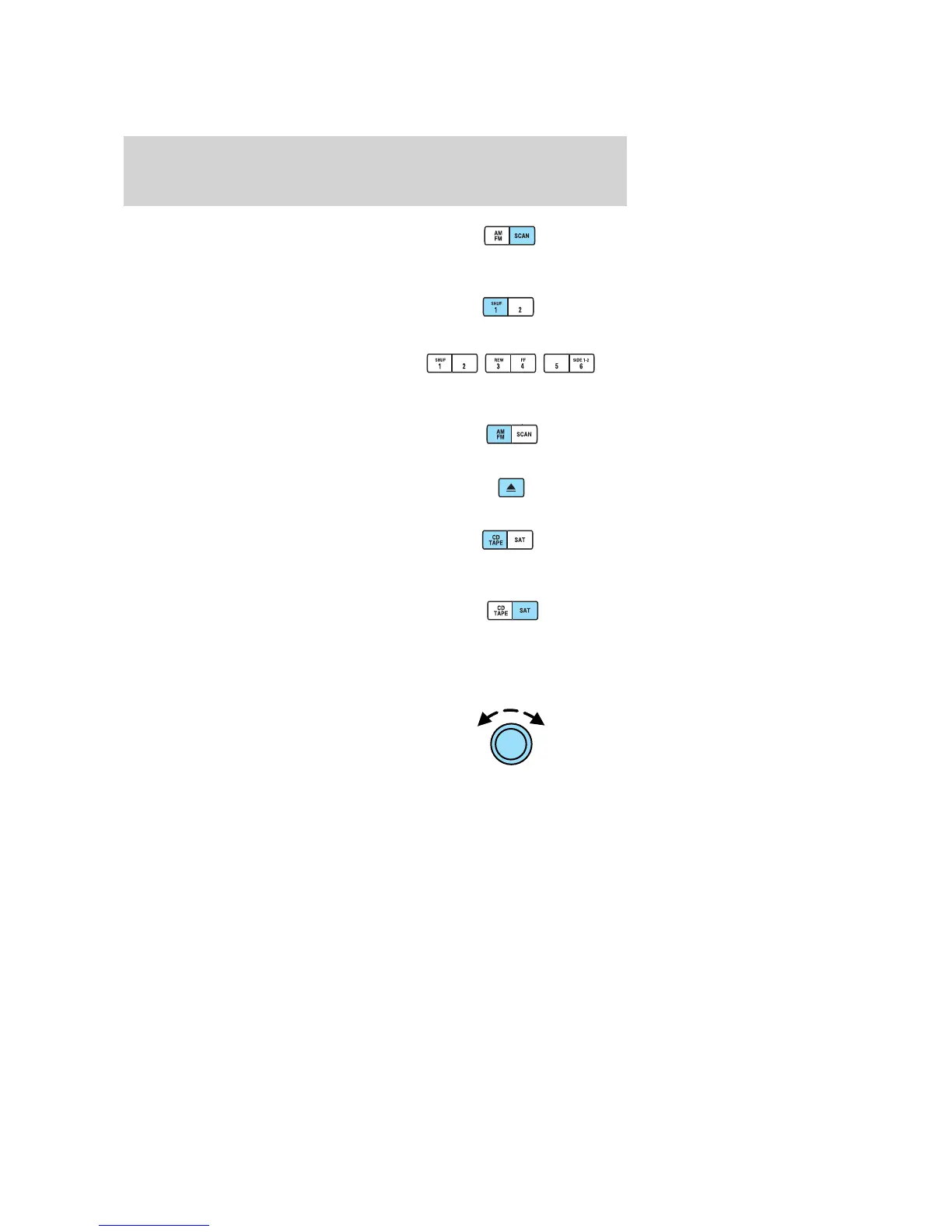
13. SCAN: Press SCAN to hear a
brief sampling of radio stations,
selections or CD tracks. Press again
to stop.
14. SHUF (Shuffle): Press to play
the tracks on the current CD in
random order. Press again to stop.
15. Memory presets: To set a
station: Select frequency band, tune
to a station, press and hold a preset
button until sound returns.
16. AM/FM: Press to toggle
between AM/FM1/FM2 modes.
17. Tape eject: Press to eject the
tape.
18. CD/TAPE: Press to toggle
between CD and TAPE mode. In
radio and tape mode, the CD icon
will appear in the display if a CD is loaded into the system.
19. SAT: Your system may be
equipped with Satellite Ready
capability. The kit to enable the
Satellite reception is available through your dealer. Detailed satellite
instructions are included with the dealer installed kit.
Check with your authorized dealer for availability.
20. On/Off/Volume: Push to turn
on/off; turn to adjust the volume
levels. Note: With the ignition
turned off, you may press the
volume control to momentarily view
the clock.
2008 Crown Victoria (cro)
Owners Guide (post-2002-fmt)
USA (fus)
Entertainment Systems
27







 To Next Page