MEMORY FUNCTION
PRECAUTIONS
WARNING: Before activating the
memory seat, make sure that the area
immediately surrounding the seat is clear
of obstructions and that all occupants
are clear of moving parts.
WARNING: Do not use the memory
function when your vehicle is moving.
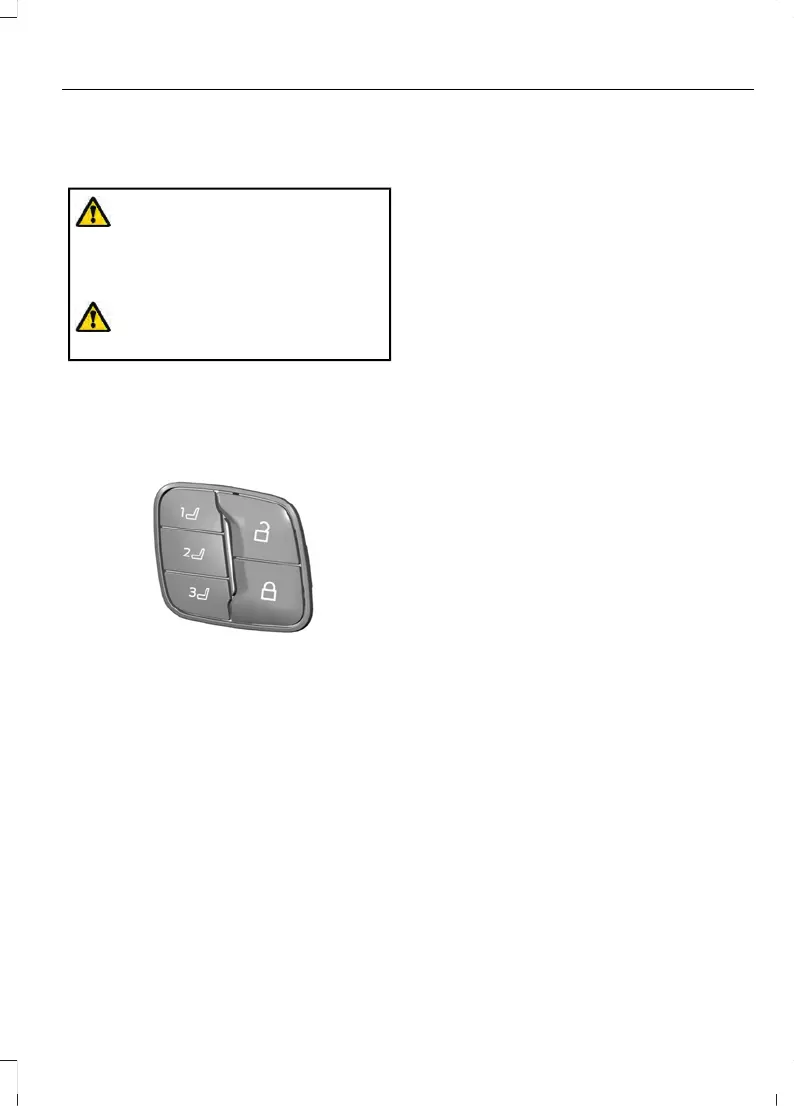
LOCATING THE MEMORY
FUNCTION BUTTONS
The memory function buttons are on the
driver door.
SAVING A PRESET POSITION
1. Adjust the memory features to your
preferred position.
2. Press and hold the preferred preset
button until you hear a single tone.
A confirmation message appears in the
information display.
You can save up to three preset memory
positions at any time.
RECALLING A PRESET
POSITION
Press and release a preset button.
Note: You can recall a preset memory
position when the ignition is off, or when you
place the transmission in park (P) or neutral
(N) if the ignition is on and the vehicle is not
moving.
Note: Pressing any of the preset buttons or
any memory feature control during a
memory recall cancels the operation.
You can also recall a preset memory
position by:
• Pressing the unlock button on your
remote control if you linked it to a
preset position.
• Unlocking the intelligent driver door
handle if a linked remote control is
present.
Using a linked remote control to recall your
memory position when the ignition is off
moves the seat and steering column to the
easy entry position.
Linking a Preset Position toy Your
Remote Control or Passive Key
57
F-150 (TFD) Canada/United States of America, enUSA, Edition date: 202008, First-Printing
Memory Function














 To Next Page