EasyManua.ls Logo

Ford F-650 2018 - User Manual

Ford F-650 2018
386 pages
Print Icon
To Next Page IconTo Next Page
Loading...
September 2017
First Printing
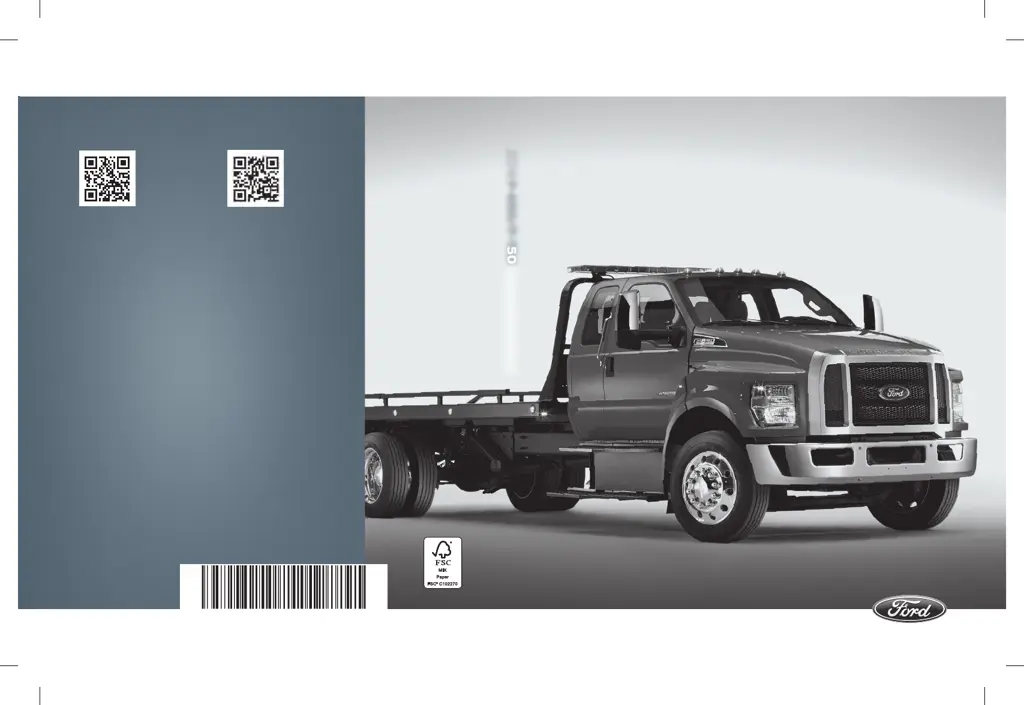
Owner’s Manual
F-650/F-750
Litho in U.S.A.
JC4J 19A321 AA
2018 F-650/F-750 Owner’s Manual
owner.ford.com ford.ca
2018 F-650/F-750
Owners Manual
2523747_18a_F-650_750_OM_080417.indd 1 8/18/17 10:23 AM

Table of Contents

Questions and Answers

  • S
    Samantha SmithAug 18, 2025
    Why Ford F-650 2018 SYNC doesn't understand contact names?
    • T
      Tami SchwartzAug 18, 2025
      If SYNC in your Ford Automobile does not understand the name of a contact when you're trying to make a call, ensure you are saying the contact's name exactly as it is listed in your phonebook. If SYNC is having trouble, use the SYNC phone menu to open the phonebook and scroll to the contact name; SYNC will read the name, providing insight into the pronunciation it expects. It works best to list full names and avoid special characters. If a contact name is in all CAPS, spell it out.
  • V
    vshieldsAug 21, 2025
    Why Ford F-650 2018 SYNC does not understand me?
    • T
      tweissAug 21, 2025
      If SYNC in your Ford Automobile doesn't understand what you're saying, you might be using incorrect voice commands or speaking too soon. Review the phone and media voice commands in their respective sections. After pressing the voice icon, wait for the tone and the 'Listening' prompt before speaking your command.
  • A
    Amber DavidsonAug 23, 2025
    What to do if other person can't hear me on Ford F-650 2018 SYNC?
    • C
      Chase EllisonAug 23, 2025
      If, during a call in your Ford Automobile, you can hear the other person, but they cannot hear you, it might be due to a phone malfunction. Try turning your phone off, resetting it, or removing and reinserting the battery before trying again.
  • Y
    ygoodwinAug 26, 2025
    Why I am having trouble connecting my device to Ford F-650 2018?
    • T
      Thomas AguilarAug 26, 2025
      If you are having trouble connecting your device to Ford Automobile SYNC, try turning the device off, resetting it, or removing and reinserting the battery. Ensure you are using the manufacturer's cable and that it is correctly inserted into both the device and the USB port. Also, check that the device does not have an auto-install program or active security settings.
  • L
    Lucas ObrienAug 28, 2025
    Why Ford F-650 2018 SYNC phonebook is empty?
    • P
      Patrick RodriguezAug 28, 2025
      If the Ford Automobile SYNC system says the phonebook is downloaded but it appears empty or is missing contacts, this may be a limitation of your phone. Try manually pushing your phonebook contacts to SYNC using the Add Contacts feature. If missing contacts are on your SIM card, move them to the device memory. Also, remove any pictures or special ringtones associated with the missing contacts.
  • Z
    Zachary SilvaAug 30, 2025
    Why Ford F-650 2018 Automobile SYNC doesn't understand song names?
    • J
      Justin LawrenceAug 30, 2025
      If SYNC in your Ford Automobile does not understand the name of a song or artist, review the media voice commands. Say the song or artist exactly as listed. Ensure you're saying the complete title, including any remix or featuring information. If the song titles are in all CAPS, spell them out. Avoid using special characters in the title.
  • M
    Melissa RobertsSep 1, 2025
    How to reduce background noise on Ford Automobile SYNC calls?
    • A
      Andrea KingSep 1, 2025
      If you experience excessive background noise during a phone call in your Ford Automobile, it may be due to the audio control settings on your phone affecting SYNC performance. Review your phone's manual for information on audio adjustments.
  • A
    Alec HaynesSep 3, 2025
    Why text messaging is not working on Ford F-650 2018 SYNC?
    • R
      Randall CombsSep 3, 2025
      If text messaging is not working on Ford Automobile SYNC, it might be a phone-dependent feature issue or a phone malfunction. Check the website to verify your phone's compatibility. Try turning your phone off and on, or removing and reinserting the battery.
  • M
    margaretriveraSep 6, 2025
    Why Ford Automobile SYNC is not downloading my phonebook?
    • J
      jodiryanSep 6, 2025
      If Ford Automobile SYNC is not able to download your phonebook, this may be a phone-dependent feature issue or a phone malfunction. Check the website to review your phone's compatibility. Try turning off your device, resetting it, or removing the battery, then try again. You can also try pushing your phonebook contacts to SYNC using the Add Contacts feature, or use the SYNCmyphone feature available on the website.
  • K
    Karen PriceSep 8, 2025
    Why Bluetooth audio does not stream on Ford F-650 2018 Automobile SYNC?
    • D
      Deborah JohnsonSep 8, 2025
      If Bluetooth audio does not stream in your Ford Automobile, this could be a phone-dependent feature issue or the device is not connected properly. Review the device compatibility chart on the SYNC website to confirm your phone supports Bluetooth audio streaming. Ensure the device is correctly connected to SYNC and that you have started playback on your device.

Ford F-650 2018 Specifications

General IconGeneral
BrandFord
ModelF-650 2018
CategoryAutomobile
LanguageEnglish

Related product manuals