CD Settings
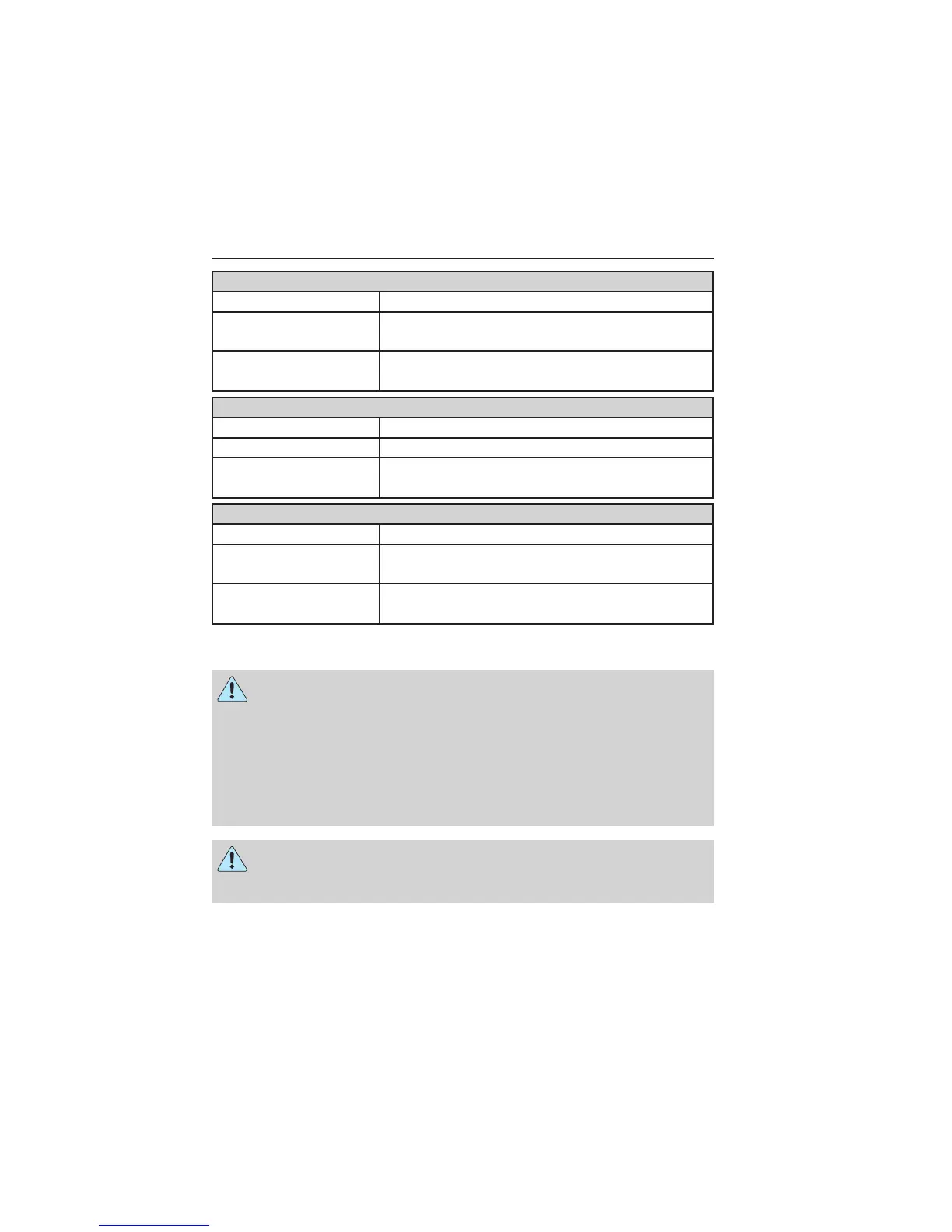
Scan All Select to scan all disc selections.
Scan Folder Select to scan all music in the current MP3
folder.
CD Compression Select to bring soft and loud passages together
for a more consistent listening level.
Clock Settings
Set Time Select to set the time.
Set Date Select to set the calendar date.
24h Mode Select to view clock time in a 12–hour mode or
24–hour mode.
Display Settings
Dimming Select to change display brightness.
Language Select to display the language in English,
French or Spanish.
Temp. Setting Select to display the outside temperature in
Fahrenheit or Celsius.
AUXILIARY INPUT JACK
WARNING: Driving while distracted can result in loss of vehicle
control, crash and injury. We strongly recommend that you use
extreme caution when using any device that may take your focus off
the road. Your primary responsibility is the safe operation of your
vehicle. We recommend against the use of any hand-held device while
driving and encourage the use of voice-operated systems when possible.
Make sure you are aware of all applicable local laws that may affect the
use of electronic devices while driving.
WARNING: For safety reasons, do not connect or adjust the
settings on your portable music player while your vehicle is
moving.
Audio System 135
2013 Focus (foc)
Owners Guide gf, 3rd Printing, November 2012
USA (fus)



 To Next Page