QUICK START
5
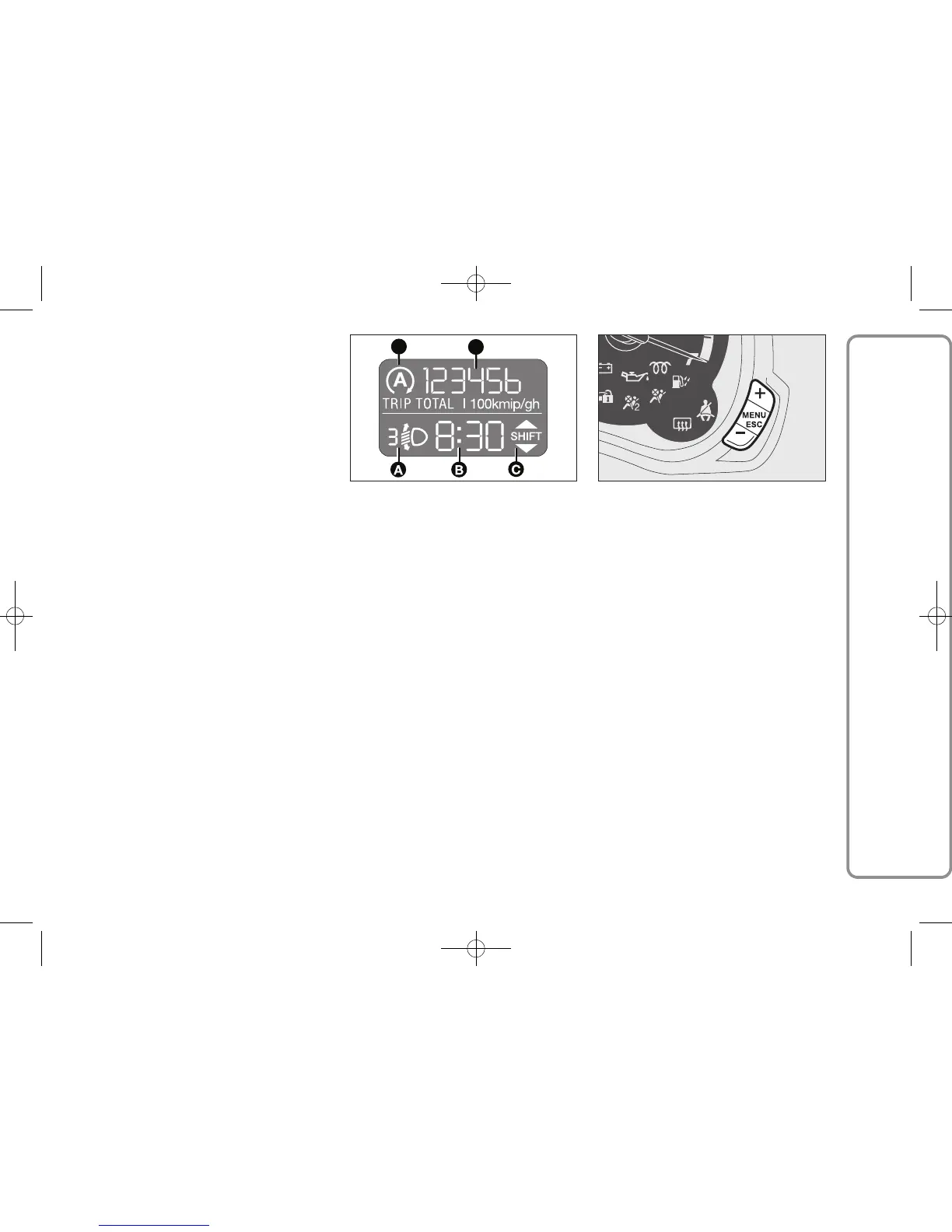
DIGITAL DISPLAY
STANDARD SCREEN
The standard screen shows the
following information:
A Headlight aiming position
(only with dipped beam
headlights on)
B Time (always displayed, even with
key extracted and front doors
closed)
C Gear Shift Indication
D Odometer (display of covered
km or miles)
E Auto-Start-Stop function indication
Note With key removed (when
opening one of the front doors)
the display will turn on and show for
a few seconds the km or mi covered.
CONTROL BUTTONS
+ To scroll the displayed menu and
the related options upwards or to
increase the displayed value.
MENU Press briefly to display
ESC
in the menu and/or go to next
screen or confirm the
required menu option.
Hold pressed to go back
to the standard screen.
KA00165m KA00016m
– To scroll the displayed menu
and the related options downwards
or to decrease the displayed value.
SETUP MENU
The menu comprises a series of
functions arranged in a cycle which can
be selected through buttons + and –
to access the different select operations
and settings (setup) given in the
following paragraphs.
The setup menu can be activated by
pressing briefly button MENU
ESC.
Single presses on the + and – buttons
will scroll the setup menu options.
Management modes differ according to
the option selected.
The menu includes the following
functions:
– HOUR
– BUZZ
– SPEED
– UNIT
– P BAG (*)
(*) Function activated only by taking car
to dealership.
603.95.157 PP KA EN 1ed trip 15-10-2010 13:49 Pagina 5


 To Next Page