
 Need help?
Do you have a question about the Ford NEW GENERATION STAR TESTER and is the answer not in the manual?
Provides essential safety guidelines for vehicle service, including personal protection and equipment handling.
Covers core NGS functions and how to establish diagnostic links with vehicle modules.
Details the NGS's multimeter capabilities and generic OBD II functions.
Explains data recording, the DTC library, and EEC-V PCM reprogramming.
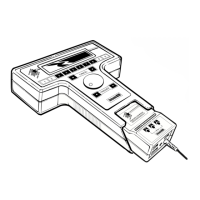
Identifies the main NGS hardware components: control unit, VIM, and program card.
Details the VIM's role and describes the various cables and connectors.
Covers program card installation and initial control unit configuration.
Guides connecting the NGS to the vehicle and describes the startup sequence.
Navigating the main menu and selecting the vehicle and engine for diagnosis.
Explains menu organization, basic navigation controls, and screen types.
Details the operation of key input controls for interacting with the NGS.
Guides on accessing tests, PID selection, and capturing/managing data.
Explains how to view recorded data in tables or graphs and print results.
Covers active command modes, module identification, and accessing the DTC library.
Guides the setup for diagnosing the Generic Electronic Module (GEM).
Details available test modes including DTC retrieval, self-tests, and wiggle tests.
Explains using the PID/Data Monitor and performing specific function tests.
Introduces diagnostic links and the MCN diagnostic test.
Explains selecting diagnostic modules and procedures for EEC-IV and EEC-V systems.
Details self-test procedures and accessing stored diagnostic data.
Covers OBD II readiness tests and PID monitoring for EEC-V vehicles.
Explains generic OBD II diagnostics and how to select vehicles.
Lists the features available within the generic OBD II menu.
Explains freeze frame data, MIL operation, and accessing diagnostic trouble codes.
Details test results, readiness status, and the OBD II drive cycle process.
Defines common automotive terms starting with A through D.
Defines common automotive terms starting with P through V.
Defines common automotive terms starting with N through V.
Defines common automotive terms starting with G through I.
 General
| Compatibility | Ford vehicles |
|---|---|
| Functionality | Diagnostics, programming |
| Interface | USB, Ethernet |
| Display | Touchscreen |
| Software updates | Regular updates via Ford's official channels |

 To Next Page