2
Using the touch screen
Be sure to use these tips when operating the
SYNC
®
2 system:
• Ensure that your hands are clean, dry and
free of moisture.
• Touch and release the screen features you want.
• Notice how the system responds before continuing.
• Touch anywhere in the quadrant, in addition to the
corners, to access features.
• Avoid any continuously rapid pressing
of the same button.
• Clean the display with a clean, so cloth.
LCD screen/laptop wipes from an electronics
store can also be used. If dirt or fingerprints are
still visible, apply a small amount of alcohol to
the cloth. Never use regular glass cleaner,
alcohol spray, detergent or any type of solvent,
as it could damage the screen.
• To keep the system operating at peak performance,
your Ford dealership may perform system so ware
updates when available.
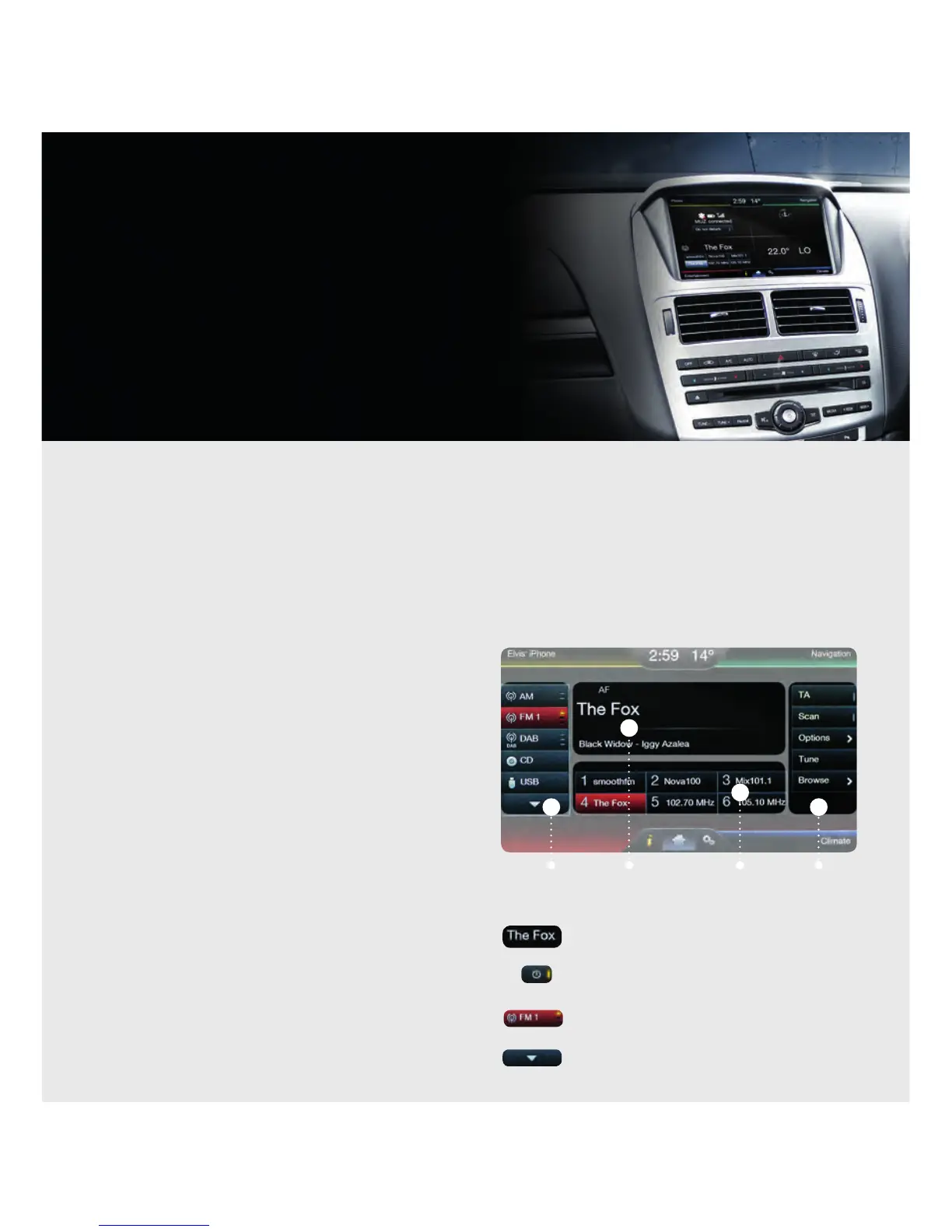
Consistent controls
To make the system easy to use, you’ll find a
common layout structure throughout. A grid helps
define a consistent location and size of features
available to you.
High-priority features appear much larger than
low-priority ones.
Toggle buttons have a consistent look with on/off
behaviour.
Some buttons have multiple light bars to highlight
that additional features are available.
Arrows indicate additional content
using page up or down.
SECONDARY
CONTROLS
CONTENT
CONTENT
CONTROLS
PRIMARY
CONTROLS
Operating certain parts of this system while driving can distract your attention away from the road and possibly cause an accident
or other serious consequences. Do not change system settings or enter data non-verbally (using your hands) while driving.
Stop the vehicle in a safe and legal manner before attempting these operations. This is important since while setting up or changing
some functions you might be required to distract your attention away from the road and remove your hands from the wheel.
GENERAL TIPS
▲
▲
▲ ▲
Keep your eyes on the road and hands on the wheel using
SYNC
®
2 driver-connect technology. It puts you in control of
what you want when you want it — through voice, touch or a mix
of both. There are also settings and controls you can personalise
to suit your interests and the level of engagement you desire.
Plus, the Navigation System (where applicable) provides turn-by-
turn directions with 3D maps, points of interest and more.
Make sure you read your SYNC
®
2 Owner’s Manual before using
this feature for the fi rst time. This QuickGuide provides useful
information on commonly used features but is not intended to
replace the detailed instructions and warnings contained in your
SYNC
®
2 Owner’s Manual.



 To Next Page
 Loading...