If your vehicle is not equipped with Navigation:
• Turn-by-turn directions appear in the information display, in the
status bar of your touchscreen system and on the SYNC Services
screen. You also receive driving instructions from audible prompts.
• When on an active route, you can select Route Summary or Route
Status using the touchscreen controls or voice commands to view
the Route Summary Turn List or the Route Status ETA. You can
also turn voice guidance on or off, cancel the route or update the
route.
If you miss a turn, SYNC automatically asks if you want the route
updated. Just say, “Yes” when prompted and the system delivers a new
route to your vehicle.
If your vehicle is equipped with Navigation, SYNC Services downloads
your requested destination to the navigation system. The navigation
system then calculates the route and provides driving instructions. See
the Navigation system section for more information.
Disconnecting from SYNC Services
1. Press and hold the phone button on the steering wheel.
2. Say “Good-bye” from the SYNC Services main menu.
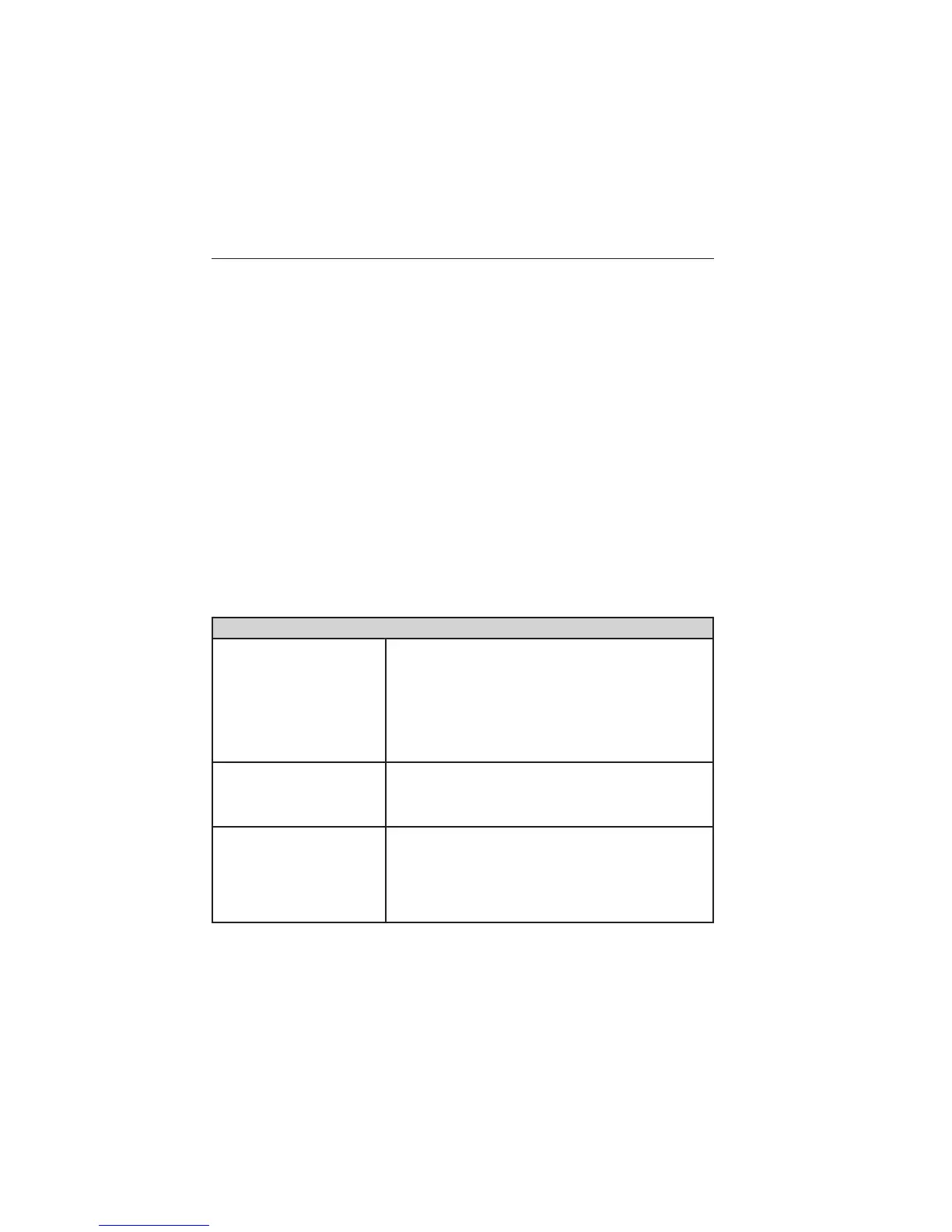
SYNC Services quick tips
Personalizing You can personalize your Services feature to
provide quicker access to your most used or
favorite information. You can save address
points, such as work or home. You can also save
favorite information like sports teams, such as
Detroit Lions, or a news category. You can learn
more about personalization by logging onto
www.SYNCMyRide.com.
Push to interrupt Press the voice button at any time (while
connected to SYNC Services) to interrupt a
voice prompt or an audio clip (such as a sports
report) and say your voice command.
Portable Your subscription is associated with your
Bluetooth-enabled cellular phone number, not
your VIN (Vehicle Identification Number). You
can pair and connect your phone to any vehicle
equipped with SYNC Services and continue
enjoying your personalized services.
MyFord Touch® (If Equipped) 483
2015 Taurus
Owners Guide gf, 2nd Printing, November 2014
USA (fus)



 To Next Page