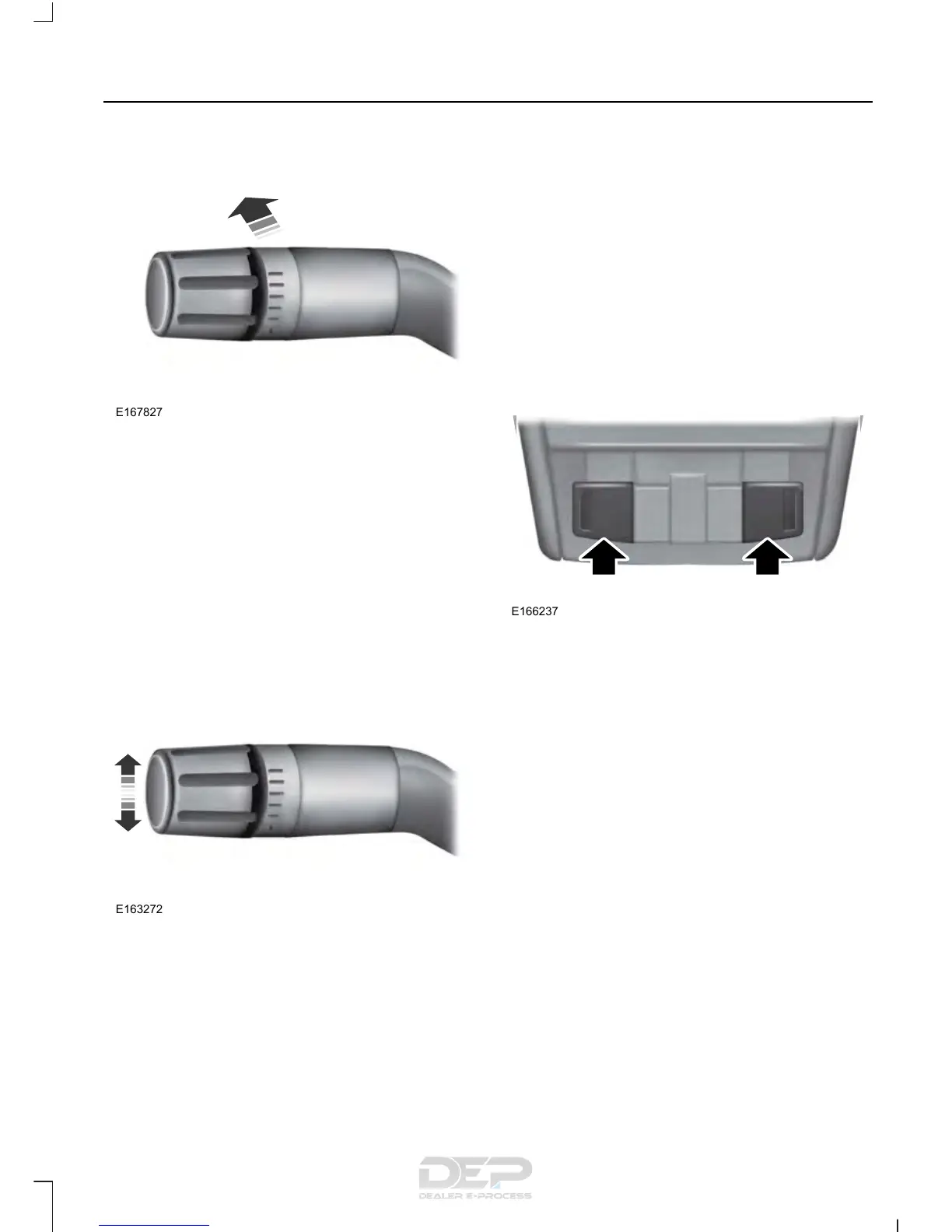
Manually Overriding the System
When the automatic control has activated
the high beams, pushing or pulling the stalk
will provide a temporary override to low
beam.
Use the information display menu to
permanently deactivate the system, or
switch the lighting control from autolamps
to headlamps.
DIRECTION INDICATORS
• To operate the left direction indicator,
push the lever down until it stops.
• To operate the right direction indicator,
push the lever up until it stops.
Note: Tap the lever up or down to make the
direction indicators flash three times.
INTERIOR LAMPS
The lamps will switch on when you have
met one of the following conditions:
• You open any door.
• You press a remote control button.
• You press the outer edge of the clear
lens on the front row map lamp.
Front Row Map Lamps
To switch on the map lamps, press the
outer edge of the clear lens.
The front row map lamp will automatically
turn on when:
• Any door is opened.
• You press and hold the top of the
instrument lighting dimmer switch past
the first detent.
• You press any of the remote entry
controls and the ignition is in the off
position.
73
Taurus (CPH) Canada/United States of America, enUSA, First Printing
Lighting














 To Next Page