Retain the original transmitter for use in other vehicles as well as for
future programming procedures (i.e. new HomeLink威 equipped vehicle
purchase). It is also suggested that upon the sale of the vehicle, the
programmed Homelink威 buttons be erased for security purposes, refer to
Programming in this section.
Programming
Do not program HomeLink威 with the vehicle parked in the garage.
Note: Some vehicles may require the ignition switch to be turned to the
second (or “ACC”) position for programming and/or operation of the
HomeLink威. It is also recommended that a new battery be placed in the
hand-held transmitter of the device being programmed to HomeLink威 for
quicker training and accurate transmission of the radio-frequency signal.
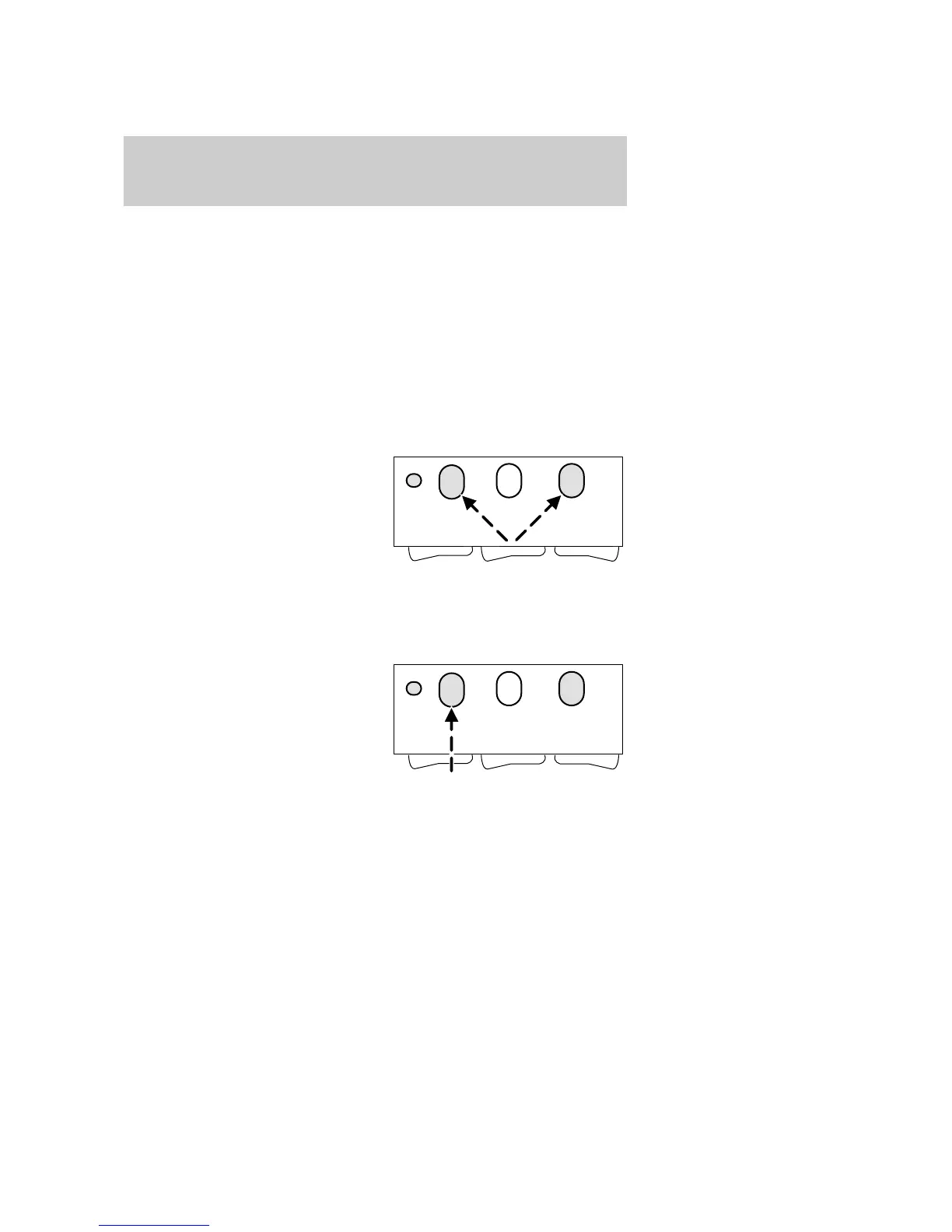
1. Press and hold the two outside
buttons releasing only when the
amber light begins to flash after 20
seconds. Do not repeat step one to
program additional hand-held
transmitters to the remaining two
HomeLink威 buttons. This will erase
previously programmed hand-held
transmitter signals into HomeLink威.
2. Position the end of your hand-held transmitter 2–8cm(1–3 inches)
away from the HomeLink威 button you wish to program (located on the
header trim) while keeping the amber light in view.
3. Simultaneously press and hold
both the HomeLink威 and hand-held
transmitter button. Do not release
the buttons until step 4 has been
completed.
Some entry gates and garage door
openers may require you to replace
step 3 with procedures noted in the
“Gate Operator and Canadian Programming” section for Canadian
residents.
4. The amber light will flash slowly and then rapidly. Release both
buttons when the amber light flashes rapidly. (The rapid flashing light
indicates acceptance of the hand-held transmitters’ radio frequency
signals.)
2004 Thunderbird (tbr)
Owners Guide (post-2002-fmt)
USA English (fus)
Driver Controls
47













 To Next Page