EasyManua.ls Logo

Ford VCM II - User Manual

Ford VCM II
24 pages
Print Icon
To Next Page IconTo Next Page
Loading...
9/4/2012 - 1 - Version 2.0
VCM II Customer Flight Recorder
Operator’s Manual
ECUTOOL.RU

Other manuals for Ford VCM II

Questions and Answers

Summary

Definitions, Acronyms, and Abbreviations

Introduction to VCM II - CFR

System Components Overview

Lists the VCM II - CFR components required for operation.

Standard Equipment List

Details the hardware items included in VCM II kits for CFR.

Safety Guidelines

Proper Installation and Use

Guidelines for the correct installation and usage of the equipment.

Equipment Safety Precautions

Important Safety Instructions

Critical safety instructions to prevent personal injury and equipment damage.

Using the VCM II - CFR

VCM II - CFR Setup from IDS

Procedure for configuring the VCM II - CFR using the IDS software.

CFR Application Management

Parameter Selection

Diagnostic Trouble Code Count (DTC)

DTC Count parameter is pre-selected for auto-capture.

Recording Time Setup

Trigger Setup

Setting Trigger Limits

Setting trigger limits on parameters for automatic recording.

Download to VCM II - CFR

VCM II - CFR Configuration Confirmation

Reviewing and confirming settings before downloading to the VCM II - CFR.

Hook-up to Vehicle

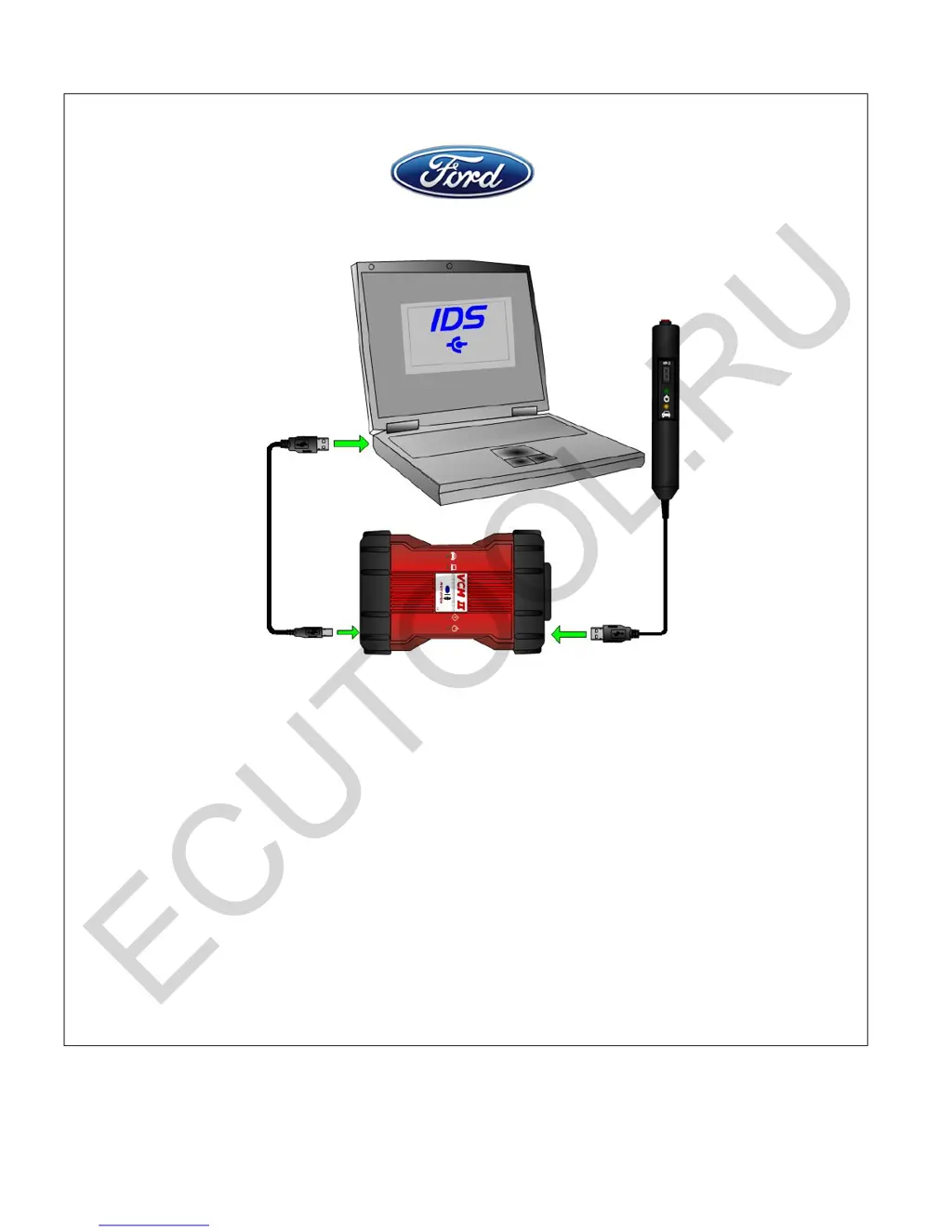
Connecting the VP-2 Pendant Cable

Instructions for connecting the pendant cable to the VCM II - CFR.

Securing Cables and Device Placement

Ensuring safe placement and cable routing in the vehicle.

Control of VCM II - CFR; Recording Data

Pendant Indicator Lights

Understanding the status indicated by the VCM II - CFR pendant lights.

User Interface (Pendant)

Manual Trigger Button Function

How to manually trigger recordings and wake the CFR from sleep mode.

Seven-Segment LED Display

Interpreting the display for recording counts and status.

Pendant Events and Indicators

Green Power LED Status

Understanding the meaning of the green power indicator light.

Yellow Vehicle Communication LED

Interpreting the yellow LED for vehicle communication status.

VCM II - CFR Upload to IDS

Initiating Upload Process

Steps to start the data upload from VCM II - CFR to IDS.

File Naming and Saving Recordings

Naming Uploaded Recordings

Dialog box for naming recordings and file management procedures.

Playback of Recorded Data

Viewing Saved Recordings

Steps to access and view previously saved VCM II - CFR recordings.

Playback Display Customization

Removing Parameters from Playback

Temporarily removing parameters from the playback display without deleting data.

DTC Information in Playback

Viewing DTCs and Descriptions

Accessing and viewing DTCs present before, during, or after recording.

Technical Specifications

Supported Vehicle Protocols

List of vehicle communication protocols supported by the VCM II.

VCM II Connectors Information

Reference to VCM II Hardware Manual for connector details.

Updating VCM II Firmware

Procedure for updating VCM II firmware using IDS software.

Care and Maintenance Guidelines

Refer to VCM II Hardware Manual for care and maintenance instructions.

Troubleshooting VCM II - CFR

Power and Operation Issues

Resolving problems related to power, abnormal operation, and boot-up.

Wake-up and Sleep Mode Problems

Troubleshooting issues with the VCM II - CFR not waking from sleep mode.

VCM II - CFR Support

Pendant Display Code Resolution

Resolving issues indicated by 'C' or flashing 'C' on the pendant display.

Ford VCM II Specifications

General IconGeneral
BrandFord
ModelVCM II
CategoryVoice Recorder
LanguageEnglish