6
EN
chronization does not take place, select the buton in the lower right
corner of the screen to perform manual synchronization.
NOTE: To read the Bluetooth name of your device, go to the device
settings and then choose the „System” tab.
Description of the application
User’s prole information
After correct logging in and carrying out synchronization, press the
menu button in the upper left corner, and then click the user name to
enter the prole setting. Here, check whether all the data is correct.
Providing actual data is necessary for correct operation of the algo-
rithm that calculates your steps, calories and covered distance with
the highest possible accuracy.
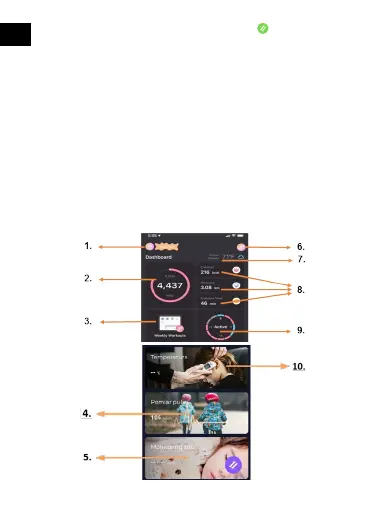
Description of the main panel








 To Next Page