3
Thank you for purchasing a product by Forever. Before use, please
refer to the User’s manual, and save it for future reference. Do not
disassemble the device on your own – all repairs should be done by a
service technician. Use only original parts and accessories provided
by the manufacturer. We hope that the product by Forever fullls your
expectations.
IMPORTANT! The device requires installation of a nanoSIM card
with an active call making/answering service, with no PIN lock. It
is recommended to deactivate voicemail. When sending informa
-
tion regarding location, the watch will require access to mobile
Internet, therefore, you should buy at least 1 GB package. Use of
the watch may be associated with fees for using the network and
calls, in accordance with the operator’s tariff.
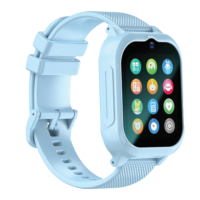
Description
1. Camera
2. On/SOS button
3. Mic
4. Touch button
5. Loudspeaker
6. SIM card slot
7. Charging connector
SIM card installation
Ensure that the device is off, then open the SIM card slot with a screwdri-
ver included in the set. Insert your nanoSIM card into the slot, so that
the chip of the SIM card is facing up towards the screen of the watch.
Charging
Connect the device with the charging cable included in the set. Ensu-
re the device and cable connectors are connected and then connect
the USB cable to the power source. The charging animation will be
displayed on the screen.
Forever KidsCare / Forever Care application installation









 To Next Page