6
EN
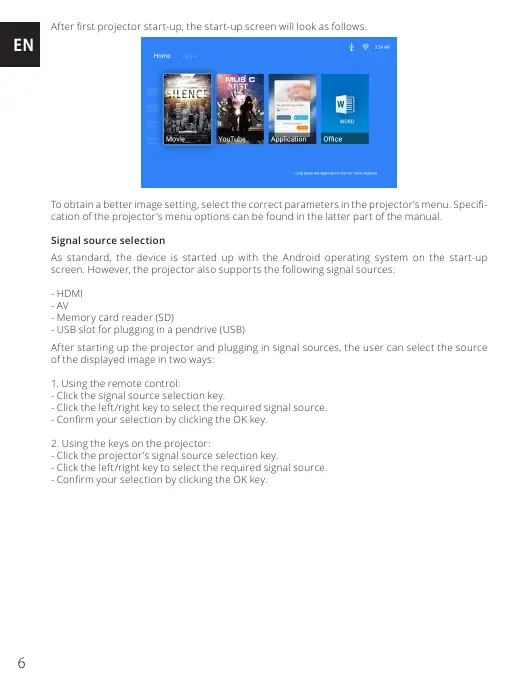
After rst projector start-up, the start-up screen will look as follows.
To obtain a better image setting, select the correc t parameters in the projec tor’s menu. Speci-
cation of the projector’s menu options can be found in the latter part of the manual.
Signal source selection
As standard, the device is started up with the Android operating system on the start-up
screen. However, the projector also supports the following signal sources:
- HDMI
- AV
- Memory card reader (SD)
- USB slot for plugging in a pendrive (USB)
After starting up the projector and plugging in signal sources, the user can select the source
of the displayed image in two ways:
1. Using the remote control:
- Click the signal source selection key.
- Click the left/right key to select the required signal source.
- Conrm your selection by clicking the OK key.
2. Using the keys on the projector:
- Click the projector’s signal source selection key.
- Click the left/right key to select the required signal source.
- Conrm your selection by clicking the OK key.


 To Next Page
 Loading...