EN
9
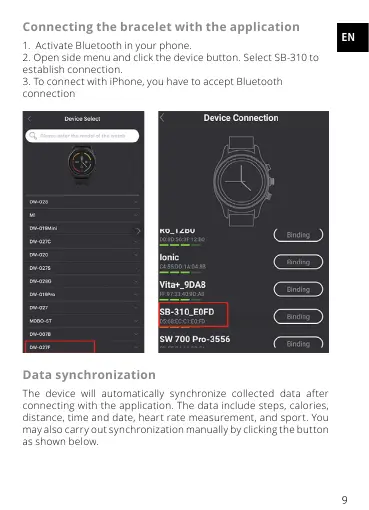
Connecting the bracelet with the application
1. Activate Bluetooth in your phone.
2. Open side menu and click the device button. Select SB-310 to
establish connection.
3. To connect with iPhone, you have to accept Bluetooth
connection
Data synchronization
The device will automatically synchronize collected data after
connecting with the application. The data include steps, calories,
distance, time and date, heart rate measurement, and sport. You
may also carry out synchronization manually by clicking the button
as shown below.


 To Next Page