EasyManua.ls Logo

Forging Mount FM9388-B - User Manual

Forging Mount FM9388-B
2 pages
Print Icon
To Next Page IconTo Next Page
Loading...
M6
M4
M8
STEP 1-1
Select TV Screw Diameter
STEP 1-2
Select TV Screw Length
FLAT BACK ROUND BACK CABLESINSET HOLES
A
B
Too Short
Too Long
Correct
100 lbs.
(45 kg)
Does your TV (including accessories)
weigth more than 100 lbs. ( 45 kg )?
Perfect!
Y
This mount is NOT compatible.
If your TV has a flat back, AND you want your TV closer
to the wall, use the shorter screws (A).
Use the spacers and longer s crews
(
B)
t
o accommodate:
· Round/irregular back TVs
· TVs with inset mounting holes
· Extra space needed for cables
CAUTION Verify
adequate thread
engagement with the screw/
washer/spacer combination
AND TV bracket .
- Too sho will not hold the TV.
- Too long will damage the TV.
Standard configurations
are shown. For special
applications, or if you
are uncertain about your
hardware selection,
you can see online:
www.forgingmount.com
Hand thread screws into the threaded inserts
on the back of your TV to determine which
screw diameter (
M4, M6, or M8) to use.
WARNING
Exceeding the weight
capacity can result in serious personal
injury or damage to equipment! It is the
installer's responsibility to make sure the
weight of the TV (with accessories) does
not exceed 100 lbs ( 45 kg ).
Drywall with
woo studs?
Perfect!
What is your wall made of?
Please read
through these instructions completely to be sure you’re comfortable with
this easy install process. Also check your TV owner’s manual to see if there are any
special requirements for mounting your TV.
If you do not understand these instructions or have doubts about the safety of the
installation, assembly or use of this product, please contact US via: forgingmount888@163.com
CAUTION:
Avoid potential personal injuries and property damage!
This product is designed for use in wood stud/concrete walls
DO NOT
install into
drywall
The wall must be capable of supporting
ve times the weight of the TV and mount combined
Do not use this product for any purpose not explicitly speci
ed by manufacturer
Manufacturer is not responsible for damage or injury caused by incorrect assembly or use
Solid concrete or
conc et
block?
Tools Needed
Hardware Included
WARNING:
This product
contains small items that could
bea choking hazard if swallowed.
Before starting assembly,
verify all parts are included
and undamaged. If any parts
are missing or damaged, do
not return the damaged item to
your dealer; contact Customer
Service.
Never use damaged parts!
NOTE: Not all parts and
hardware included will be used.
Concrete Install
Hammer
Drill Bit
3/8 in.
(10 mm)
Concrete
Wood Stud Install
AwlStud Finder
7/32 in.
( 5 mm)
Wood
Drill Bit
Pencil Screwdriver
Tape
Measure
Electric
Drill
1/2 in.
(13 mm)
Socket
Wrench
Lag Bolts
5/16x2.75
A x4
concrete anchor
P x4
Lag Bolt
Washers
B x4
TV Screws
M4X15
D x4
M6X15
F x4
M8X15
H x4
M4X30
E x4
M6X30
G x4
M8X45
I x4
MAX=600mm,MIN=100mm
MAX=400mm,MIN=100mm
Spacers
L5MM
K x4
L10MM
L x4
TV Washers
3 holes
J x4
M4 M6 M8
TV Plate
Arm and Wall Plate TV Bracket
01 x1
HDMI Cable
07 x105 x1
wallplate template Level
04 x1
VELCRO TIE
06 x5
02 x2
03 x1
TV Plate Screws
No
es
Getting Started
:
d
er
rt
:
LONG ARM
TV WALL MOUNT
For 37 - 80”(94-203cm) TVs
Model FM9388-B
Ø6
N x4
M6X16
M x4
M6
O x4
C x1
Wrench
C O N M
TV plate connect with arm
STEP 1-3 Attach the TV plate to the arm assembly

Question and Answer IconNeed help?

Do you have a question about the Forging Mount FM9388-B and is the answer not in the manual?

Overview

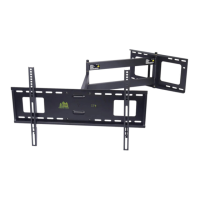
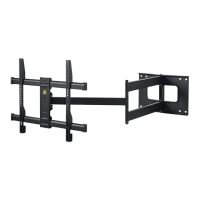
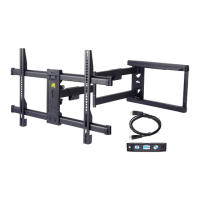
This document describes the Forging Mount Long Arm TV Wall Mount, Model FM9388-B, designed for TVs ranging from 37 to 80 inches (94-203 cm).

Function Description:

The Forging Mount Long Arm TV Wall Mount is a robust mounting solution designed to securely attach a television to a wall, allowing for flexible positioning and viewing angles. It is specifically engineered for use with wood stud and solid concrete/concrete block walls, providing a stable and safe installation. The "Long Arm" feature suggests an extended reach, enabling the TV to be pulled out from the wall and articulated for optimal viewing from various positions within a room. The mount includes features for tilt and level adjustment, ensuring the TV can be perfectly aligned after installation. Cable management is also integrated to maintain a neat and organized appearance.

Important Technical Specifications:

  • TV Size Compatibility: 37-80 inches (94-203 cm) TVs.
  • Weight Capacity: The mount is designed for TVs (including accessories) weighing up to 100 lbs (45 kg). Exceeding this weight capacity can lead to serious personal injury or equipment damage.
  • Wall Compatibility:
    • Wood Stud Walls: Requires common 2x4 inch (51x102 mm) nominal or 1½x3½ inch (38x89 mm) wood studs. Drywall covering the wall must not exceed 5/8 inch (16 mm). Minimum horizontal space between fasteners for lag bolts is 16 inches (406 mm).
    • Solid Concrete/Concrete Block Walls: Requires a minimum solid concrete thickness of 8 inches (203 mm). Minimum concrete block size of 8x8x16 inches (203x203x406 mm). Minimum horizontal space between fasteners is 16 inches (406 mm).
  • Drill Bit Sizes:
    • For wood studs: 7/32 inch (5.5 mm) diameter drill bit for pilot holes, drilled to a depth of 3 inches (75 mm).
    • For concrete/concrete block: 3/8 inch (10 mm) masonry drill bit for pilot holes, drilled to a depth of 3 inches (75 mm).
  • Hardware Included:
    • Arm and Wall Plate: 1 unit (01)
    • TV Bracket: 2 units (02)
    • TV Plate: 1 unit (03)
    • Lag Bolts (5/16x2.75"): 4 units (A)
    • Lag Bolt Washers: 4 units (B)
    • Concrete Anchor: 4 units (P)
    • TV Screws (M4x15, M4x30, M6x15, M6x30, M8x15, M8x45): Various quantities (D, E, F, G, H, I) to accommodate different TV models.
    • Spacers (L5MM, L10MM): Various quantities (K, L) for accommodating curved backs or inset mounting holes.
    • TV Plate Screws (M6x16, Ø6, M6): Various quantities (M, N, O) for attaching the TV plate to the arm assembly.
    • TV Washers: (J)
    • Wrench: 1 unit (C)
    • Wallplate Template: 1 unit (04)
    • Level: 1 unit (05)
    • VELCRO TIE: 5 units (06) for cable management.
    • HDMI Cable: 1 unit (07)
  • Wall Plate Dimensions: Maximum 400mm, Minimum 100mm.
  • TV Plate Dimensions: Maximum 600mm, Minimum 100mm.

Usage Features:

  • Universal TV Compatibility: The mount comes with a variety of TV screws (M4, M6, M8) and spacers to fit most TV models. Users are instructed to hand-thread screws to determine the correct diameter and length. Spacers are provided for TVs with flat backs (shorter screws), round/irregular backs, inset mounting holes, or when extra space is needed for cables (longer screws with spacers).
  • Easy Installation Process: The manual provides a step-by-step guide for installation on both wood stud and concrete walls.
    • Step 1: Select TV Screw Diameter and Length: Guides the user to choose appropriate screws and spacers based on TV back design and mounting hole depth. Emphasizes verifying adequate thread engagement to prevent damage or insecure mounting.
    • Step 2: Wall Plate Install (Wood Stud): Involves locating studs, marking drill points using a template, drilling pilot holes, and securely fastening the wall plate with lag bolts and washers.
    • Step 3: Wall Plate Install (Solid Concrete or Concrete Block): Involves positioning a template, marking hole locations, drilling pilot holes with a masonry bit, inserting concrete anchors, and then securing the wall plate with washers and screws.
    • Step 4: Attach TV Brackets to TV Back: Details how to attach the TV brackets to the back of the TV, with specific instructions for flat back and round back/extra space configurations.
    • Step 5: Attach TV to the Arm Assembly: Guides the user on connecting the TV plate to the arm assembly.
    • Step 6: Tightening Locking Screws and Cable Management: Instructs on securing the TV to the mount using locking screws and organizing cables with the provided Velcro ties.
    • Step 7: Tilt and Level Adjustment: Explains how to adjust the TV's tilt and level using a wrench to loosen/tighten a nut.
  • Adjustability:
    • Tilt Adjustment: Allows the TV to be tilted to achieve the desired viewing angle.
    • Level Adjustment: Enables fine-tuning of the TV's horizontal alignment after installation.
  • Cable Management: Includes VELCRO TIEs to help organize and secure cables, contributing to a clean aesthetic.

Maintenance Features:

  • Pre-Installation Check: Users are advised to read instructions completely, check their TV owner's manual for special requirements, and verify all parts are included and undamaged before starting assembly. Damaged parts should not be used.
  • Safety Warnings: Numerous "CAUTION" and "WARNING" labels throughout the manual emphasize safety, including:
    • Avoiding personal injuries and property damage.
    • Not exceeding the weight capacity of 100 lbs (45 kg).
    • Ensuring the wall is capable of supporting five times the combined weight of the TV and mount.
    • Not installing into drywall.
    • Not using the product for purposes not explicitly specified by the manufacturer.
    • Ensuring lag bolts and screws are firmly tightened but not over-tightened.
    • Verifying adequate thread engagement for screws.
    • Not using a power screwdriver for attaching TV brackets.
    • Ensuring locking screws are tightened to secure the TV.
  • Manufacturer Responsibility: The manufacturer is not responsible for damage or injury caused by incorrect assembly or use.
  • Customer Support: Contact information (forgingmount888@163.com) is provided for assistance with installation, assembly, or product safety doubts.
  • Online Resources: For special applications or uncertainties about hardware selection, users can refer to online resources at www.forgingmount.com.

Forging Mount FM9388-B Specifications

General IconGeneral
BrandForging Mount
ModelFM9388-B
CategoryTV Mount
LanguageEnglish

Related product manuals