EasyManua.ls Logo

Form C-FORM - User Manual

Form C-FORM
4 pages
Print Icon
To Next Page IconTo Next Page
Loading...
F-FORM POSTURE GUIDE
This guide will help you set up your F-FORM chair to best
support your body and reduce the risk of musculoskeletal
damage.
A correctly adjusted chair will reduce your risk of back pain.
(+44) 01625 322 660 | WWW.FORMSEATING.CO.UK
C-FORM
POSTURE GUIDE
Question and Answer IconNeed help?

Do you have a question about the Form C-FORM and is the answer not in the manual?

Summary

Chair Adjustments Guide

Seat Height Adjustment

Adjust chair height by lifting the front button. Aim for knees slightly lower than hips with feet flat.

Backrest Tilt Control

Use free-float mode for dynamic movement. Lock angle by lifting the rear button under the seat.

Lumbar Support Panel Adjustment

The lumbar panel height can be adjusted by sliding it up or down.

Tension Control for Tilt

Adjust tilt tension for gentle resistance. Twist the lever under the seat to increase/reduce resistance.

Armrest Position Adjustment

Adjust armrests for relaxed shoulders and L-shaped arms. Lift/lower, change depth, and angle for comfort.

Overview

This document is a posture guide for the C-FORM seating range, produced by Form Seating. It provides instructions on how to adjust various features of their office chairs to promote good posture and prevent repetitive strain injuries.

Function Description

The C-FORM chairs are designed to provide ergonomic support and adjustability to suit individual user needs, promoting healthy posture during prolonged sitting. The guide details how to manipulate the chair's mechanisms to achieve optimal comfort and support for different body types and preferences. Key adjustable functions include seat height, backrest tilt, lumbar support height, tilt tension, and armrest position.

Important Technical Specifications (Implied)

While specific technical specifications like dimensions or materials are not explicitly stated, the guide implies certain design features and capabilities:

  • Adjustable Seat Height: The chair incorporates a mechanism that allows the seat height to be raised or lowered. This is crucial for ensuring the user's feet are flat on the floor and knees are slightly lower than their hips, which is a fundamental ergonomic principle.
  • Backrest Tilt Mechanism: The backrest offers both a free-float mode for dynamic movement and a locking mechanism to fix the backrest at a desired angle. This dual functionality caters to users who prefer constant movement and those who need a fixed recline.
  • Tension Control: An adjustable tension lever is integrated to control the resistance of the backrest tilt. This allows users to customize the effort required to recline, ensuring comfortable support without excessive force.
  • Adjustable Lumbar Support: The C-FORM chairs feature a lumbar panel that can be adjusted vertically, allowing users to position the support precisely where their lower back needs it most. This is vital for maintaining the natural curve of the spine.
  • Multi-directional Armrests: The armrests are highly adjustable, offering vertical (lift/lower), horizontal (back/forwards), and rotational (twist) adjustments. This comprehensive adjustability is key to supporting the forearms and shoulders, preventing strain.
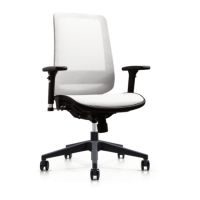
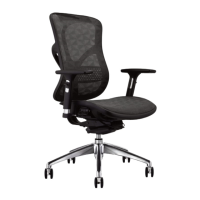
  • Robust Construction (Implied): The presence of various adjustment mechanisms suggests a sturdy build capable of supporting user weight and enduring regular adjustments. The visual of the chair also indicates a standard office chair construction with a five-star base and casters for mobility.
  • Mesh Backrest: The chair prominently features a mesh backrest, which typically offers breathability and conforms to the user's back for comfort.
  • Padded Seat: The seat appears to be well-padded, suggesting comfort for extended periods of sitting.

Usage Features

The guide provides clear, step-by-step instructions for adjusting each feature:

  • Seat Height Adjustment:

    • To Raise: Lift weight off the chair and pull up the front button located under the right-hand side of the seat.
    • To Lower: Sit on the chair and the chair will lower.
    • To Lock: Lower the button back to its neutral position.
    • Ergonomic Goal: Knees slightly lower than hips, feet flat on the floor.
  • Backrest Tilt Adjustment:

    • Free-Float Mode: Recommended for dynamic movement.
    • To Lock Angle: Lift the rear button under the left side of the seat and lean back to the desired angle.
  • Lumbar Height Adjustment:

    • The lumbar panel can be adjusted by simply sliding it up or down.
  • Tension Control Adjustment:

    • Purpose: To create gentle resistance when the backrest is in free-float mode, preventing the user from "flying backwards" or having to "press hard" to maintain posture.
    • Method: Twist the tension lever located just under the seat at the front of the chair.
      • Twist to increase or reduce tilt resistance.
  • Armrest Position Adjustment:

    • Ergonomic Goal: Shoulders relaxed, arm forms an L-shape at the elbow, forearms level with the floor.
    • Height Adjustment: Push the button on the outside of the armrest to lift or lower.
    • Depth Adjustment: Push armpads back or forwards.
    • Angle Adjustment: Twist the armrests.

Maintenance Features

The document does not explicitly detail maintenance features. However, the design of the chair with its various adjustable components suggests that regular inspection and proper use according to the guide would contribute to its longevity. The focus is on user adjustment for ergonomic benefit rather than specific cleaning or repair instructions. The robust nature of office chair mechanisms generally implies they are designed for durability with minimal user maintenance beyond occasional cleaning. The clear instructions for adjustment also serve as a form of preventative maintenance, ensuring the chair is used correctly and not subjected to undue stress from improper settings.

Form C-FORM Specifications

General IconGeneral
BrandForm
ModelC-FORM
CategoryIndoor Furnishing
LanguageEnglish

Related product manuals