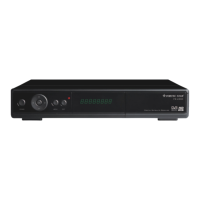
FORTEC STAR Mercury II Digital F
FORTEC STAR Mercury II Digital FTA Satellite Receivers
NOTE: Print these instructions for your reference
Dish Alignment Quick Start:
Stationary Dish Instructions:
Assemble your dish.
Mount your dish on its mast. Make sure mast is 100% vertical and solid.
Calculate your Azimuth, Elevation, and LNBF Skew for your location here:
http://www.sadoun.com/Sat/Installation/Satellite-Heading-Calculator.htm
Make sure you compensate for magnetic deviation.
Turn your dish towards the correct Azimuth and hand tighten screws.
Adjust dish Elevation to correct value and hand tighten screws.
Mount your LNBF on your dish and tilt the LNBF to compensate for polarization skew.
For example, if you are aiming the dish at IA5 97W:
In Columbus, OH: LNBF should be turned 16 degrees counter clockwise when
facing the dish.
Los Angeles: 30 degrees clockwise
New York: 30 degrees counter-clockwise
Connect your receiver to the LNBF using RG6 coaxial cable. Make sure the receiver is
"OFF" when you do that.
Turn your receiver "ON"
Motorized Dish Instructions:
Assemble your dish.
Install your LNBF on your dish. Do not tilt or skew the LNBF
Follow the instructions on how to setup your motorized system:
http://www.sadoun.com/Sat/Installation/HH-mount-installation.htm
3.
2.
1.
9.
8.
7.
6.
5.
4.
3.
2.
1.
Page 1

 Need help?
 General

 To Next Page