3
2. Handlebar Assembly
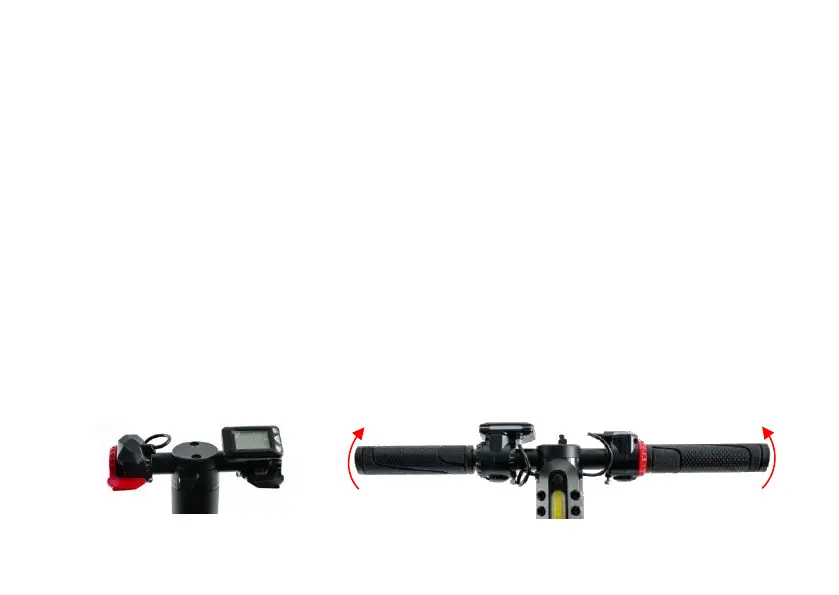
1. The package contains two handlebar grips. Attach the two grips by screwing them into the
handlebar. NB! Make sure to fit the correct one to each side.
2. Adjust the display, throttle, and brake lever angle: loosen the screws of the display and brake levers
using the hex keys included in the package. Then adjust until the levers reach horizontal position.
NB! Do not use force. Take care not to damage the cable connections of the display and the brake
lever.
3. Before operating the scooter, check all the components carefully to make sure that the steering is
correctly fixed as described above and fully functional.


 To Next Page