6
Mounting Your Webcam
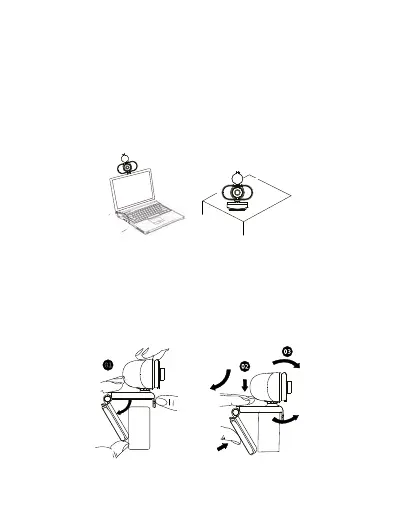
Place the webcam where you want it – on the monitor
or the desktop.
For placement on a monitor, grasp the webcam as
shown and open the clip base with your other hand.
Mount the webcam, making sure the foot of the clip
base is flush with the back of your monitor.


 To Next Page