7
Wi-Fi Connection
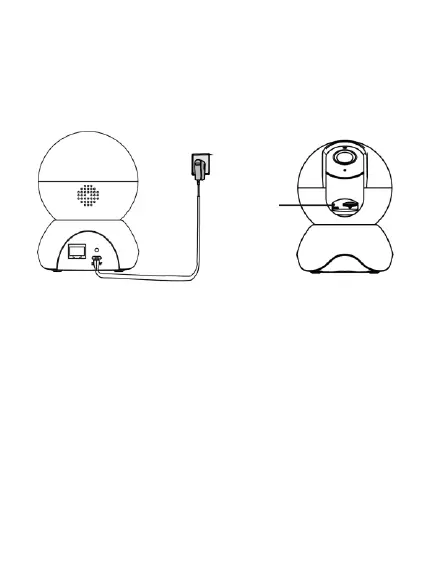
Plug the power adapter into the camera, and please
wait for a few seconds until you hear the “Ready for Wi-
Fi configuration” prompt.
Tips: If you didn’t hear the voice prompt, press and hold
the reset button for about 10 seconds to reset the
camera.
Make sure that your smartphone is connected to your
Wi-Fi router.
Tips: You need to connect to the 2.4GHz network if your
Wi-Fi router is dual-band. Most newer routers have both


 To Next Page