25
EN
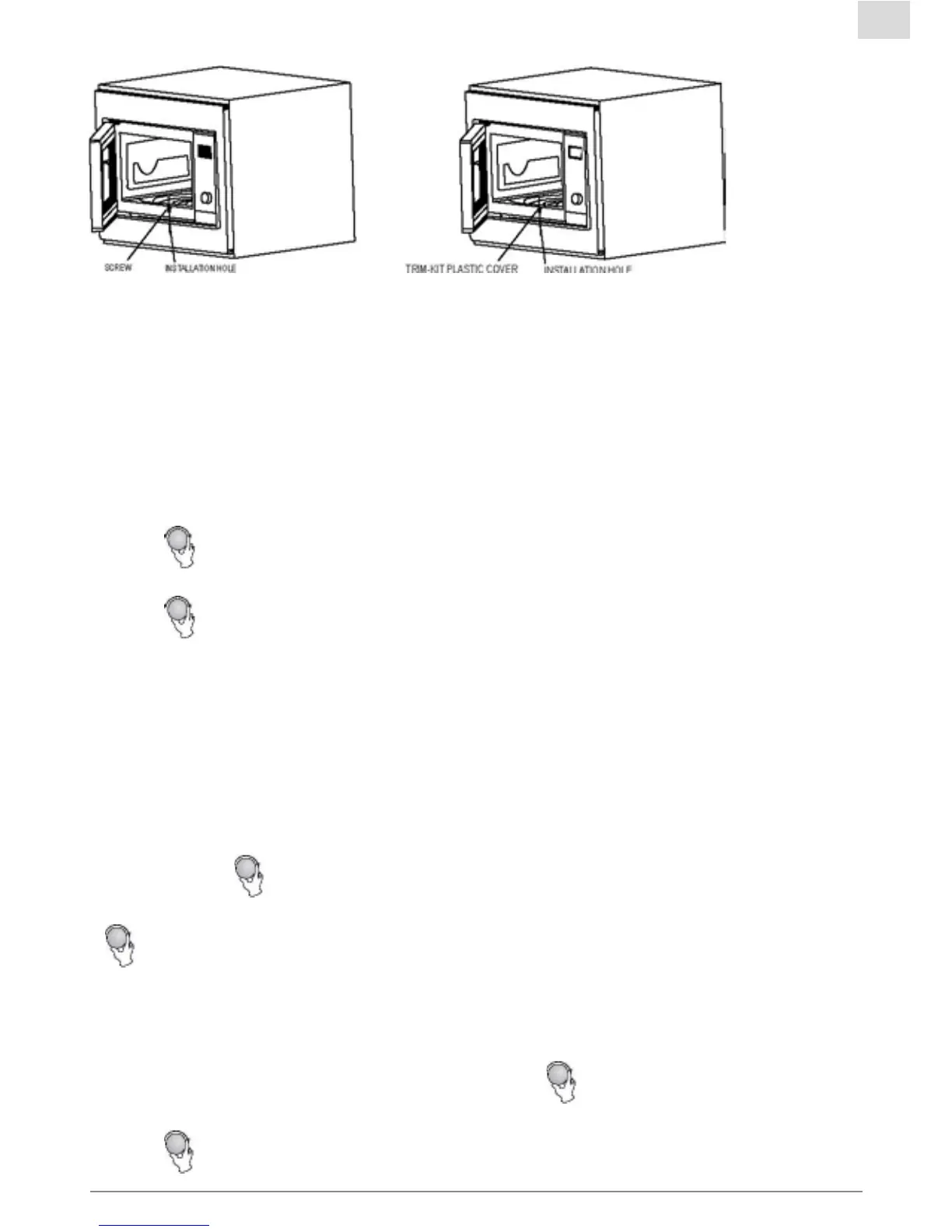
2 Openthedoor;xtheoventothecabinetwithSCREWattheINSTALLATIONHOLE
ofTRIMKIT.ThenxtheTRIM-KITPLASTICCOVERtotheINSTALLATIONHOLE.
Operation Instructions
1. Clock Setting
Whenthemicrowaveoveniselectried,theLEDwilldisplay“0:00”,buzzerwillringonce.
1)Press“CLOCK“,thehourgureswillash.
2)Turn“
“toadjustthehourgures,theinputtimeshouldbewithin0--23.
3)Press“CLOCK“,theminutegureswillash.
4)Turn“
“toadjusttheminutegures,theinputtimeshouldbewithin0--59.
5)Press“CLOCK“tonishclocksetting.“:”willash,andthetimewilllight.
Note:
1)Iftheclockisnotset,itwouldnotfunctionwhenpowered.
2)Duringtheprocessofclocksetting,ifyoupress“STOP/CLEAR“,theovenwillgobackto
thepreviousstatusautomatically.
2. Microwave Cooking.
Press“MICRO./GRILL/COMBI.“theLEDwilldisplay“P100.Press“MICRO./GRILL/COMBI.“
fortimesorturn“
“tochoosethepoweryouwant,and“P100”,“P80”“P50”,“P30”or“P10”
willdisplayforeachaddedpress.Thenpress”START“toconrm,andturn
“
“tosetcookingtimefrom0:05to95:00.Press“START“againtostartcooking.
Example:Ifyouwanttouse80%microwavepowertocookfor20minutes,youcanoperatethe
oven as the following steps.
1)Press“MICRO./GRILL/COMBI.“once,thescreendisplay“P100”.
2)Press“MICRO./GRILL/COMBI.“onceagainorturn“
“tochoose80%microwavepower.
3)Press“START“toconrm,andthescreendisplays“P80”.
4)Turn“
“toadjustthecookingtimeuntiltheovendisplays“20:00”.



 To Next Page