VM200
9
Press either the ENTER or EXIT key. The VM200 returns to the initial mix mode display.6)
Once turn off the power of VM200 and disconnect the ROM CARD PCB. Then, turn the power back on again. Next, put
the VM200 into the Utility Mode by pressing the EXIT key while holding down the /-1 and +1/ keys. Then, select the
menu “002 Version_Disp.”
7)
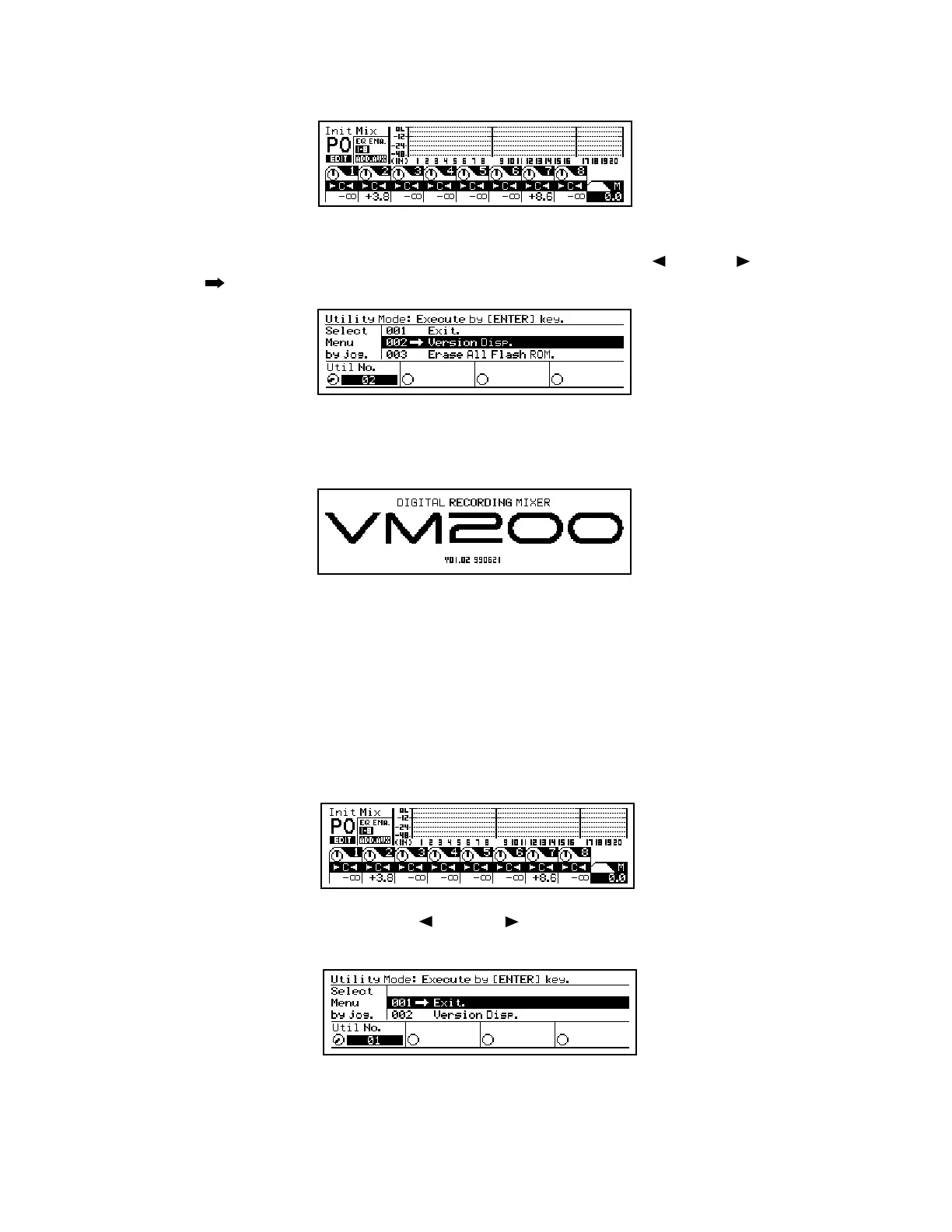
Press the ENTER key. Confirm that the flash ROM is correctly updated. The LCD display below indicates that the
software version number is “V01.02” and its programming date is “990621 (June 21, 1999)”.
8)
4. UTILITY MODE
There are various Utility Modes available in the VM200. Please utilize them when servicing the unit.
The way of putting the VM200 into Utility Mode is as follow.
4-1. Putting VM200 into Utility Mode
Turn on the power of VM200. The normal Init Mix display appears after the Fostex and VM200 banner scroll.
1)
While holding down the EXIT key, press the /-1 and +1/ keys. If the VM200 is correctly put into the Utility Mode,
the following appears on the LCD display.
2)
Rotate the data wheel to select a desired Utility Mode and press the ENTER key to execute. To exit from the Utility Mode,
press either the ENTER or EXIT key in the above display condition.


 To Next Page
 Loading...
