Page | 10
251 Mayfield Dr. Smyrna, TN 37617 | P: 615.220.8879 | F: 615.220.8944 | FourWindsSpas.com
Temperature and Spa Modes
Temperature (modes, ranges & recommendations):
Spa temperature can range from 80*-104*F or 50*-104*F depending on your system. We
recommend setting your spa to 100*F when in use and 80*F when not in use. Depending on
conditions, the spa takes about an hour to heat 1*F.
Standard, Economy and Sleep Modes
Standard Mode is the basic functioning mode for the spa. The spa will always be ready for use
and will maintain the set temp 24/7. All features are programmable and maintainable. The filters
run as programed and the heater works as needed to maintain set temperature.
Economy Mode only heats your spa to the set temperature during the set filter cycles.
Sleep Mode heats during the filter cycle like Economy Mode, but not to the set temperature.
Instead, the temperature will be heated within 20*F/10*C of the set temperature.
Revolution Series Programing
Dual Temperature Ranges:
The spa has two programmable temperature ranges: high range from 80-104*F and low range
from 50*-99*F. In each range a specific temperature can be programed. When the spa is not in
use it can be switched to the low range to be more economical. When you are ready to use the
spa, it can be switched into high range to achieve and maintain the desired temperature.
Ready and Rest Modes:
Ready Mode is similar to Standard Mode of other series. The spa will constantly maintain the
set temperature by “polling” (circulating and heating the water as needed) every half hour.
Rest Mode is similar to Economy Mode in other series. The spa heater only works during the
filter cycle (no polling) and the temperature displayed is not always current.
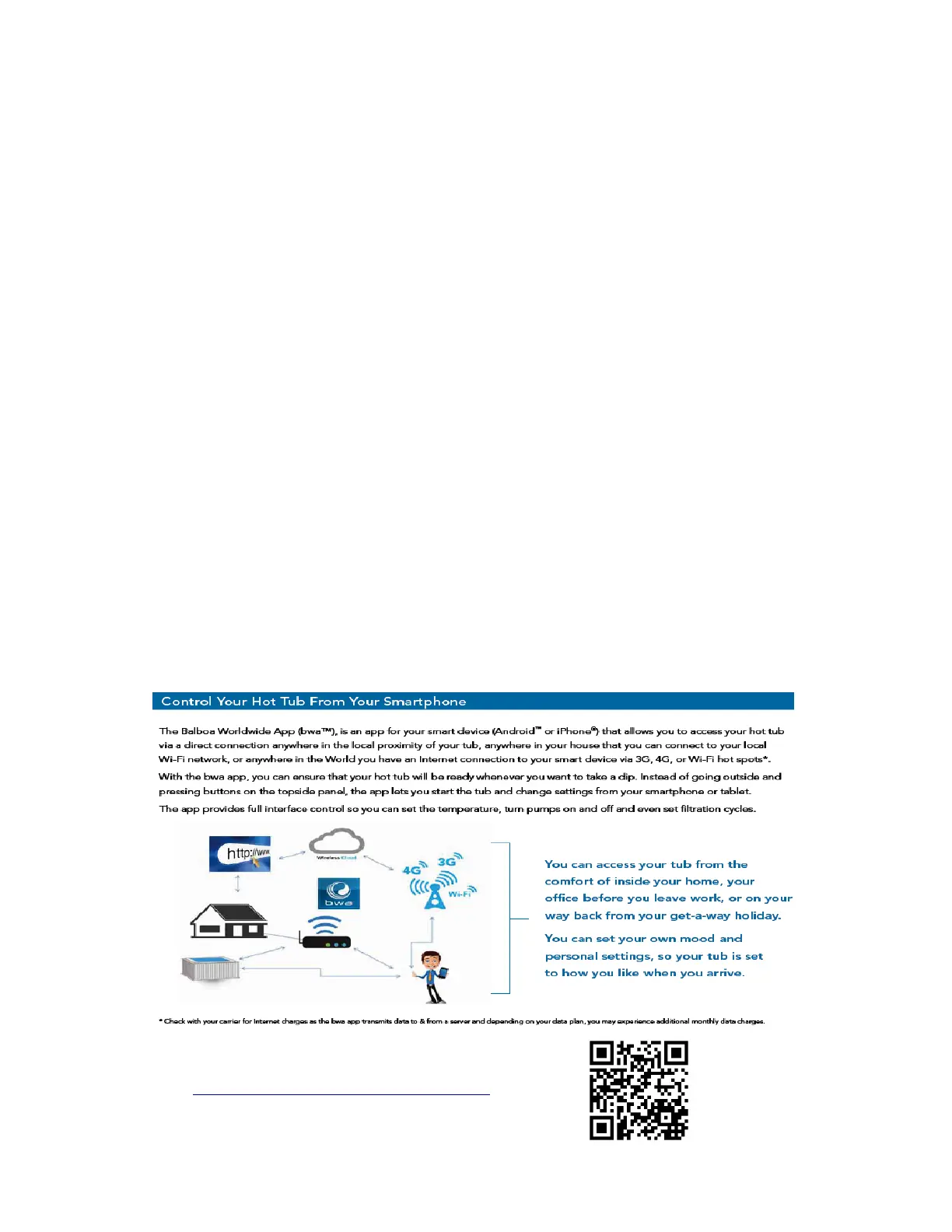
Balboa Water Group WiFi Application
For more information visit:
http://www.balboawatergroup.com/bwa



 To Next Page