2
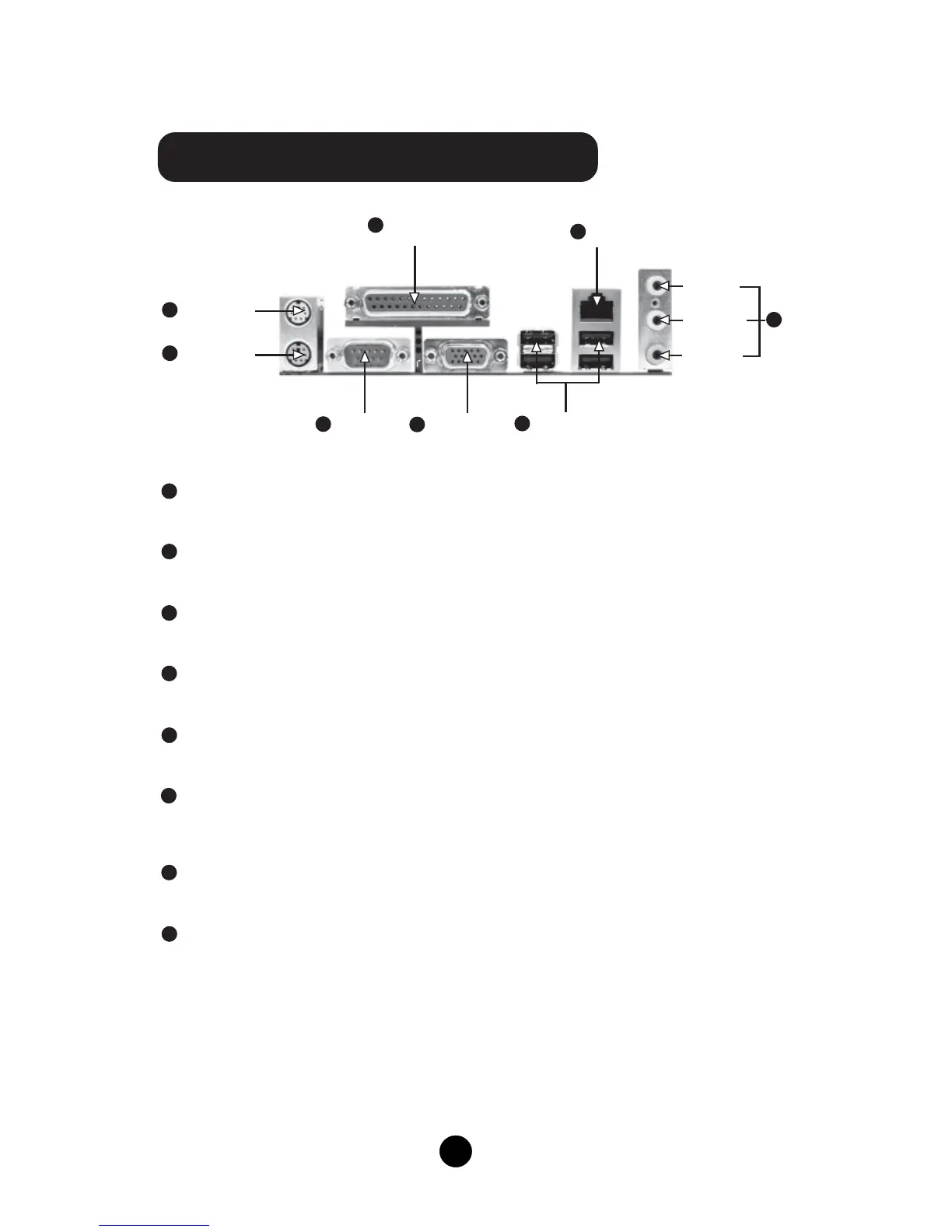
K7S741MG/K7S741GXMG Rear Panel
PS/2 Mouse Connector
This green 6-pin connector is for a PS/2 mouse.
PS/2 Keyboard Connector
This purple 6-pin connector is for a PS/2 keyboard.
Serial Port (COM1)
This 9-pin COM1 port is for pointing devices or other serial devices.
Parallel Port (Printer Port)
This 25-pin port connects a parallel printer, a scanner, or other devices.
VGA Connector
The VGA connector is for output to a VGA-compatible device.
USB 2.0 Ports
These four Universal Serial Bus (USB) ports are available for connecting USB 2.0
devices.
LAN Connector
This port allows connection to a Local Area Network (LAN) through a network hub.
Line-in jack, Line-out jack, Microphone jack
Use the three audio ports to connect audio devices. The Line-in jack is for a tape
player or other audio sources. The Line-out jack is for a headphone or a speaker.
The Microphone jack is for a microphone. In 6-Channel mode, the function of the
three jacks becomes Rear Speaker Out, Front Speaker Out and Center/Subwoofer
Speaker respectively.
1
2
5
8
3
4
6
7
Serial Port
(COM1)
VGA Connector
USB 2.0 Port x4
PS/2 Mouse
Connector
Parallel Port
(Printer Port)
LAN Connector
1
2
4
6
5
7
PS/2 Keyboard
Connector
3
Line-in jack
Line-out jack
8
Microphone
jack



 To Next Page