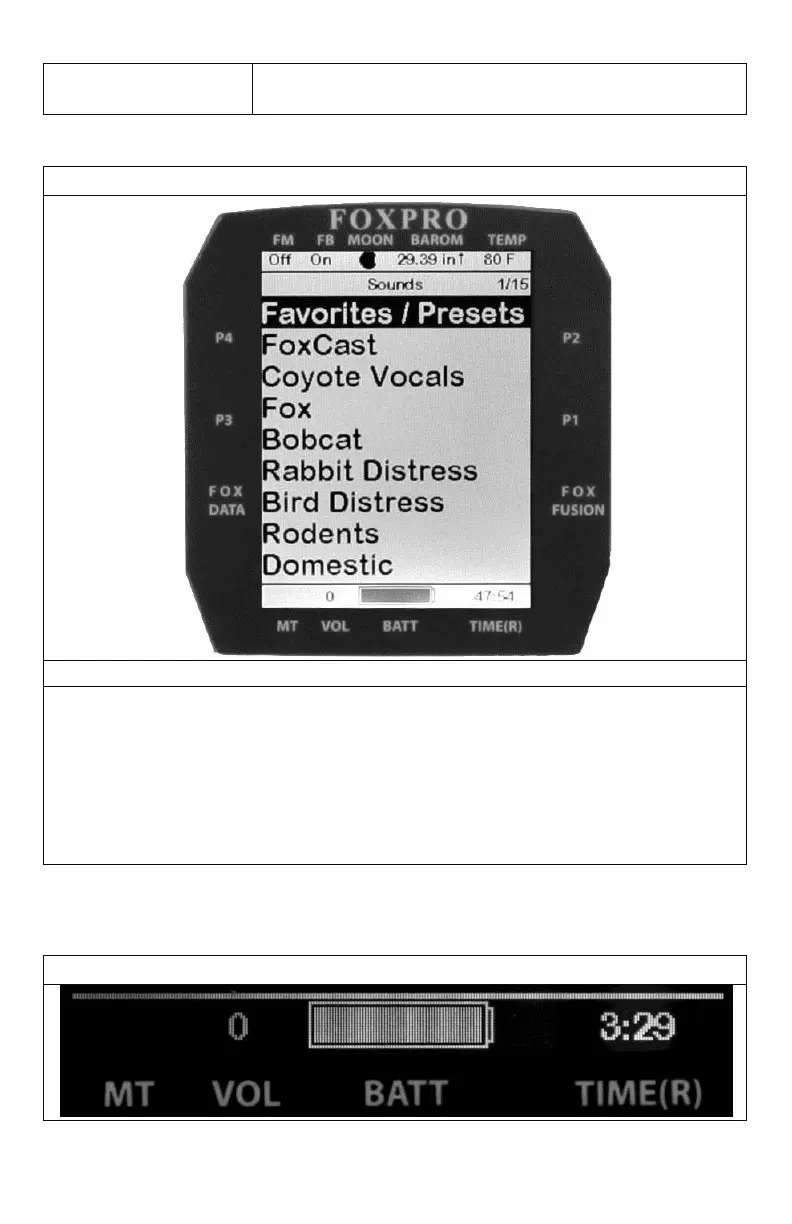
The image above shows the primary display area for the X2S remote with default settings
using the day theme. Above the menu items you will see “Categories” which is the title of
this particular screen. When you enter other menu sections, the title will change accordingly.
The two main items on the screen “Favorites/Presets” and “FoxCast” options are always
available on this screen (in both Category and Sound List mode). Directly beneath “FoxCast”
begins the category listings. If using sound list mode, you will then see “Sound List” as the
third option.


 To Next Page