30
9.2 Search for a location
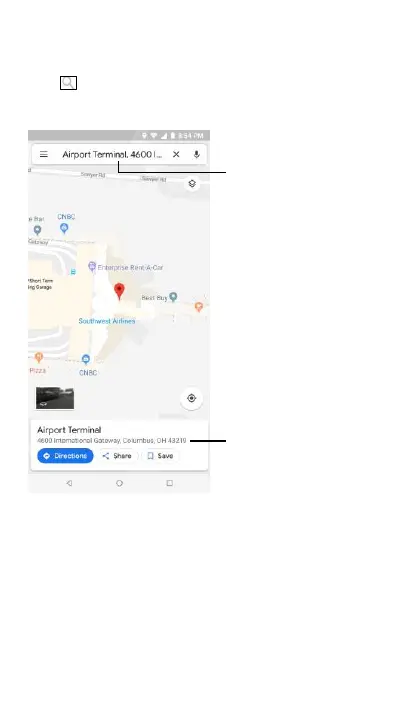
On an opened Google map, there is a search box at the top. Touch it to
activate the search function. Enter an address, a city or a local business,
touch and your search result will appear on the map as a red pin as
shown in the following figure. You can take further actions such as
Directions, Share, or Save.


 To Next Page