STEP 5: ASSIGN AN AXE-FX III PRESET TO AN MFC-101 BANK
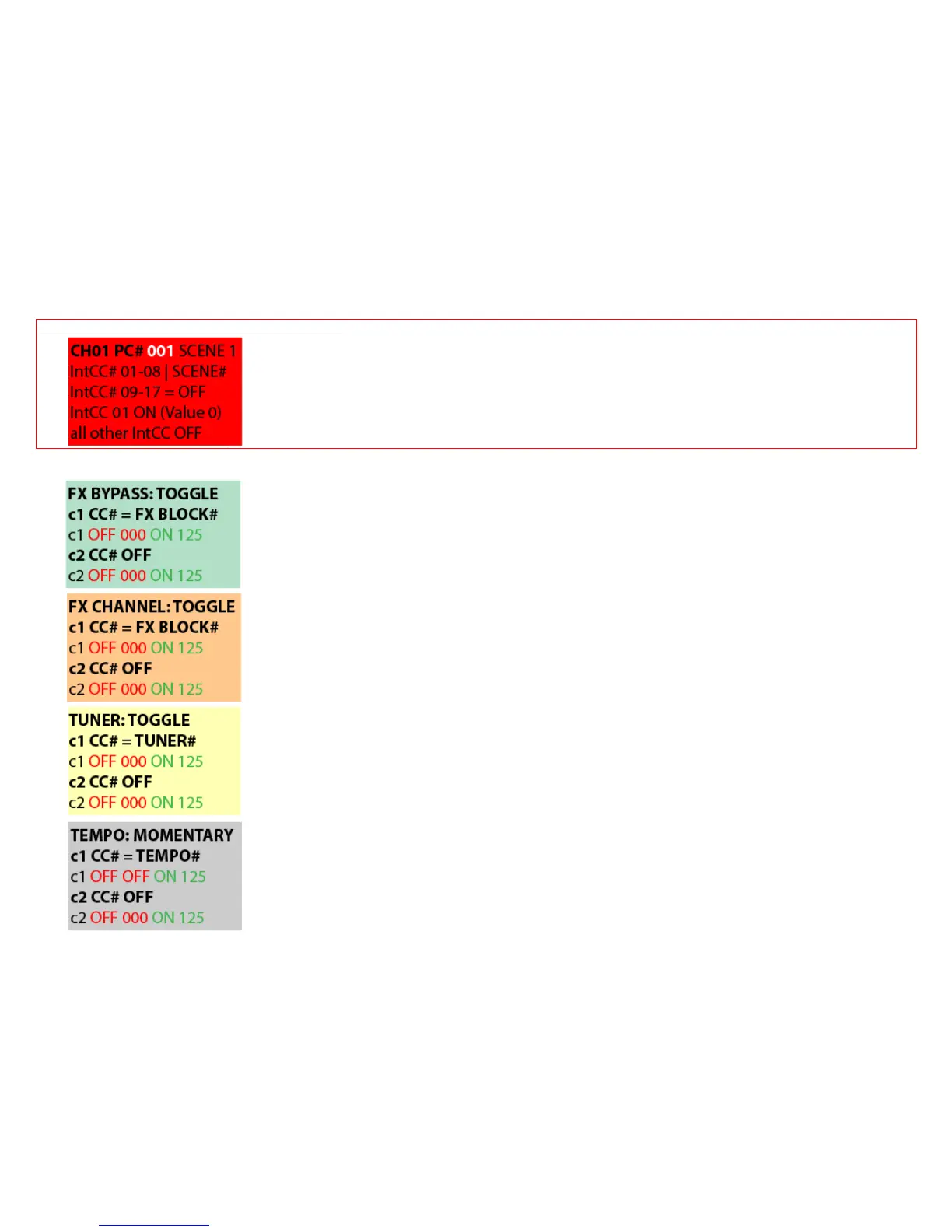
YOU HAVE ALREADY CONFIGURED THESE IA SWITCHES, BUT HERE AGAIN THE OVERVIEW
Choose the MFC-101 Bank by selecting BANK UP/DOWN you want to configurate as
Axe-Fx III Preset (with 8 Scene switches)
2) Hit EDIT -> PRESET: This jumps you directly into the MFC-101 Preset Menu of the actual MFC-101 Preset
3) Just set this FIRST Preset (SWITCH 1) from a MFC-101 Bank to an Axe-Fx III Preset (PC#):
12.1.2 Preset Program Changes: Choose PC# of the wanted Axe-Fx III Preset and save with EDIT/SAVE button.
12.5.10 IA Switch Types: TOGGLE
FX BYPASS SWITCH: 12.4.8 IA Switch Control Change (CC#) Settings
Select c1 CC# from the Axe-Fx III MIDI/Remote BYPASS Menu
OFF value 000 for Effect bypassed, ON value 125 for Effect engaged
12.5.10 IA Switch Types: TOGGLE
FX CHANNEL SWITCH: 12.4.8 IA Switch Control Change (CC#) Settings
Select c1 CC# from the Axe-Fx III MIDI/Remote CHANNEL Menu
OFF value 000 for Channel A, ON value 125 for Channel B
12.5.10 IA Switch Types: TOGGLE
TUNER SWITCH: 12.4.8 IA Switch Control Change (CC#) Settings
Select c1 TUNER CC# from the Axe-Fx III MIDI/Remote CHANNEL Menu
OFF value 000 for Tuner OFF, ON value 125 for Tuner ON
12.5.10 IA Switch Types: MOMENTARY
TAP TEMPO SWITCH: 12.4.8 IA Switch Control Change (CC#) Settings
Select c1 TEMPO CC# from the Axe-Fx III MIDI/Remote CHANNEL Menu
OFF value OFF, ON value 125 for Tempo TAP



 To Next Page