M.FSC25.3-00 Manual FRAL _ITA_UK_DE_FR_ES - 10/07/2020 29
EN
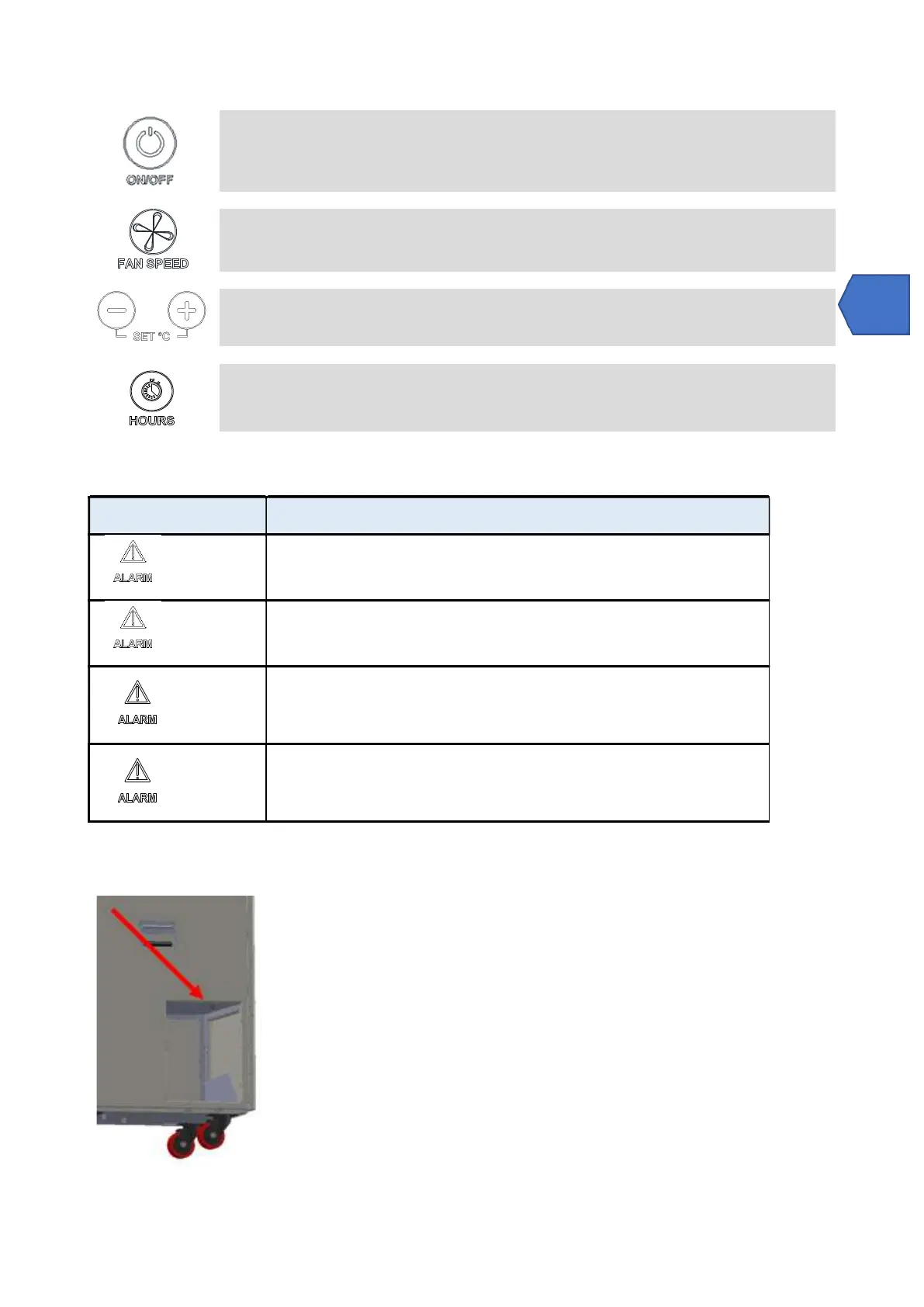
ON-OFF: Press the ON / OFF button to switch the appliance on and off.
Note: when the appliance is turned off and immediately on, the compressor does not start immediately. After
210 seconds, the appliance restarts.
FAN-SPEED: Press the FAN SPEED button to select the desired ventilation speed.
SET °C: Press the keys to set the desired set point value.
HOUR COUNTER: Press the HOURS button to view the operating hours.
4.3 Alarm list
PROBLEMA PROBABILE CAUSA e AZIONI CORRETTIVE
+ “FULL”
Full tank
The alarm is automatically reset by emptying the tank.
+ “Lo t”
It occurs for two possible reasons: the ambient temperature is too low. To restore, put
the unit in an environment above 10 ° C, if it is not reset, set it to OFF with the POWER
button and disconnect the power supply.
+ “Pro2”
Humidity probe malfunction. In any case, the device continues to operate. Contact the
service to replace the probe
+ “dEFr”
Defrost thermostat malfunction
Dehumidifier goes to stand-by. Please contact the service centre for the replacement.
4.4 Draining pump connection
It is possible to connect a tube to a hose holder in the tank, whose diameter is male 3/4


 To Next Page