
 Need help?
Do you have a question about the Franklin MWS-1840 and is the answer not in the manual?
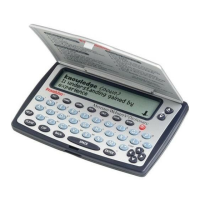
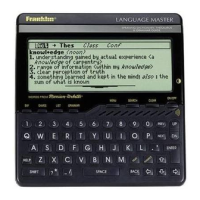
Explains the function of color-coded keys on the unit for different menus.
Details the operational functions assigned to specific keys on the device.
Describes how to navigate within the device interface using directional keys.
Explains key combinations for accessing advanced features and functions.
Details the specifications and usage of the headphone output port.
Explains the location and function of the volume adjustment dial.
Describes the AC/DC adapter specifications and polarity symbol.
Notes the location of the speaker and provides usage tips for optimal sound.
Explains the seven icons available in the dictionary menu and their functions.
Describes the feature for learning a new word daily and how to activate it.
Explains how to use wildcards (?) and asterisks (*) to find words and patterns.
Details how to select from multiple forms of a word displayed in dictionary entries.
Explains the spell correction feature that suggests corrections for misspelled words.
Indicates how flashing arrows on screen guide navigation using arrow keys.
Explains synonyms, antonyms, and classmates in thesaurus entries.
Interprets flashing messages like THES and CONF on the screen.
Describes how to add highlighted words from text to your personal word list.
Explains how to access and view the list of words saved in 'My Word List'.
Details options for adding words not found in the device's dictionary.
Provides steps for removing a single word from the personal word list.
Explains how to clear all saved words from the personal word list.
Guides users on how to play the spelling bee game and its word sources.
Explains how to use the flashcard feature for studying words from My Word List or SAT Word List.
Describes how to view and interact with the SAT Word List.
Details how to access and navigate the comprehensive English grammar guide.
Guides users on how to choose and start a game from the available list.
Explains how to access in-game instructions and hints.
Instructions for playing the word-guessing game Hangman.
Explains how to play Anagrams and use related functions.
Details the gameplay for Word Train, a word-building game.
Describes the Word Builder feature for generating anagrams.
Explains the rules and gameplay for the card game Letter Poker.
Provides instructions for playing Jumble, an unscrambling word game.
Details the gameplay and objective of the Connect Four style game.
Instructions for playing Word Deduction, a letter-guessing game.
Explains how to play Word Blaster, a word-guessing game.
Step-by-step guide on performing basic mathematical calculations.
Explains how to use the memory functions (M+, M-, MR, MC) for calculations.
Instructions for converting various metric measurements like weight and length.
Guide on converting between different currencies using the converter.
 General
| Type | Electronic Dictionary |
|---|---|
| Brand | Franklin |
| Model | MWS-1840 |
| Category | Electronic dictionary |
| Display | LCD |
| Language Support | English |
| Battery | 2 x CR2032 |



 To Next Page