EasyManua.ls Logo

Franklin The Official SCRABBLE Players Dictionary - User Manual

Franklin The Official SCRABBLE Players Dictionary
20 pages
Print Icon
To Next Page IconTo Next Page
Loading...
User’s Guide
www.franklin.com
SCR-226
manualSCR-226Rev.B.qx 7/3/03 12:00 PM Page 20
Question and Answer IconNeed help?

Do you have a question about the Franklin The Official SCRABBLE Players Dictionary and is the answer not in the manual?

Summary

Getting Started

Adjusting the Contrast

Adjust screen brightness for optimal viewing.

Key Guide

Building Words

Building Words with Blank Tiles

Instructions for building words using blank tiles.

Filling Patterns

Adding Letters to the Beginning or End of Words

Use wildcards to find words starting or ending with specific letters.

Correcting Misspellings

Finding Spellings

Defining Words

Playing the Games

Resetting the Unit

Procedure for system reset if the unit malfunctions.

Overview

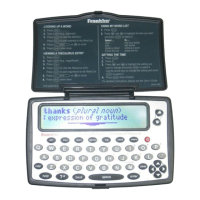
This document is a user's guide for the Franklin SCR-226, an electronic reference device designed to enhance SCRABBLE® skills and scores. The device is officially branded as "The Official SCRABBLE® Players Dictionary."

Function Description

The Franklin SCR-226 serves multiple functions related to the game of SCRABBLE®:

  • Word Validation and Definition: It can check if a word is valid according to "The Official SCRABBLE® Players Dictionary" from Hasbro® and, when available, display its definition. If a word is misspelled, it provides a list of corrections. If a word is not found in its dictionary, it indicates "Sorry Can't Help." For correctly spelled words, it flashes "Dictionary" and provides a brief definition, including the part of speech. If an entered word is an inflection, it shows the definition for the root word.
  • Spelling Correction: Users can type a misspelled word, and the device will provide a list of corrected words.
  • Word Finding (Pattern Matching): It allows users to find words even when not all letters are known. Users can use a blank square symbol (□) for each unknown letter and an asterisk symbol (✱) for any series of letters. This feature also helps in finding unusual words, such as two-letter words starting with 'A' or words beginning and ending with 'H'.
  • Word Building: Users can input their letter tiles, and the device will generate a list of possible words ranked by their SCRABBLE® scores. It supports building words with blank tiles (represented by the blank square symbol □), though the blank tile letter is not counted in the word score. However, it cannot build words using the asterisk symbol (✱) for a series of letters in this mode.
  • Pattern Filling: This advanced feature allows users to input patterns of letters already on the SCRABBLE® board and then fit their own tiles around them. It supports various designated squares, including:
    • One empty square (□)
    • A series of empty squares (✱)
    • Double letter square (L)
    • Triple letter square (L)
    • Double word square (H)
    • Triple word square (H) Users can also use the asterisk symbol (✱) at the beginning or end of a pattern to find words that end or begin with specific tiles on the board. The device calculates and displays the SCRABBLE® score for the generated words, incorporating double and triple letter/word scores.
  • Word Games: The device includes three challenging word games:
    • Jumble: Users unscramble jumbled letters to spell words. It offers options to shuffle letters or reveal the word.
    • Mystery Word: The device selects a hidden word, and users guess it letter by letter. The number of remaining guesses is displayed. Users can reveal a letter or the entire word.
    • Word Deduction: Users guess a three, four, or five-letter word (depending on skill level) within twelve tries. The device provides feedback on guesses, indicating "P" for perfect (correct letter in the correct place) and "M" for misplaced (correct letter in the wrong place). Users can view previous guesses.

Important Technical Specifications

  • Model: SCR-226
  • Battery: 4 AAA batteries
  • Size: 13.13 x 13.13 x 2.16 cm
  • ISBN: 1-59074-200-1
  • Copyright: ©1992-2003 Franklin Electronic Publishers, Inc.
  • SCRABBLE® Trademark: SCRABBLE® and associated logos are trademarks of Hasbro in the United States and Canada, used with permission. ©1995 Hasbro, Inc.
  • U.S. Patents: 4,830,618; 4,891,775; 5,113,340; 5,218,536; 5,396,606; 5,435,564.
  • FCC Compliance: Complies with Part 15 of the FCC Rules, ensuring it does not cause harmful interference and accepts received interference. It is tested to comply with Class B digital device limits.

Usage Features

  • Battery Installation: Requires four AAA batteries. The compartment is on the back, secured by a small screw. After battery installation, a Reset button (accessed with a paper clip) must be pressed.
  • Contrast Adjustment: Screen contrast can be adjusted using the up (↑) and down (↓) arrow keys from the Ready screen.
  • Automatic Shut-off: To conserve battery life, the device automatically shuts off after two minutes of inactivity.
  • Resume Functionality: When turned on, the device returns to the last viewed screen, provided the demonstration mode is off.
  • Demonstration Mode: A "Quick Demo" runs each time the unit is turned on. It can be stopped by pressing CLEAR. To disable the demo permanently, type **d at the Ready screen and press ENTER. To re-enable, repeat the process.
  • Key Guide:
    • BUILD: Initiates word building from entered letters.
    • PATTERN: Accesses the pattern entry screen.
    • GAMES: Displays the games menu.
    • SKILL: Sets the skill level for games.
    • HELP: Displays context-sensitive help messages.
    • SCORE: Cycles through double and triple letter/word scores in pattern mode.
    • * (Asterisk): Represents any series of letters.
    • (Blank Square): Represents one unknown letter or a blank tile. In games, it ends a round.
    • CLEAR: Returns to the Ready screen or stops the demonstration.
    • ENTER: Enters a word or selection.
    • BACK: Deletes the last typed letter or navigates back.
    • ↑ / ↓: Scrolls up/down, adjusts contrast.
    • ← / →: Moves left/right.
  • Error Handling: If no words can be built from entered tiles, the message "Sorry can't help" appears. If an invalid query is entered (e.g., using * in word building mode), "Invalid query" appears.
  • System Reset: In case of keyboard unresponsiveness or erratic screen behavior, a system reset can be performed by gently pressing a recessed button on the back of the unit (beneath the battery compartment) with a paper clip. This can also re-establish normal operation after electrostatic discharge.

Maintenance Features

  • Cleaning: Use a mild glass cleaner sprayed onto a cloth to wipe the screen. Do not spray liquids directly onto the product.
  • Storage: Avoid storing the product in extreme or prolonged heat, cold, humidity, or other adverse conditions.
  • Battery Care:
    • Insert batteries correctly according to manufacturer instructions.
    • Do not mix old and new batteries, or different types (alkaline, standard carbon-zinc, rechargeable nickel-cadmium).
    • Remove weak or dead batteries promptly.

Franklin The Official SCRABBLE Players Dictionary Specifications

General IconGeneral
BrandFranklin
ModelThe Official SCRABBLE Players Dictionary
CategoryElectronic dictionary
LanguageEnglish

Related product manuals