Need help?
Do you have a question about the Free2Move eSolutions easyWallbox and is the answer not in the manual?
Step-by-step instructions for installing the easyWallbox in Plug&Play mode.
Information on how to obtain technical support and servicing for the easyWallbox.
Critical warnings regarding the use, installation, and handling of the easyWallbox.
Explanation of the various symbols used in the manual for safety and warnings.
Details on the correct and intended use of the easyWallbox for charging electric vehicles.
Information regarding improper use and unauthorized modifications of the easyWallbox.
Fundamental safety guidelines and precautions for the safe operation of the easyWallbox.
Importance of adhering to local regulations for safe installation and operation.
Safety requirements regarding supervision of children and vulnerable individuals near the device.
Guidelines for keeping the easyWallbox in good condition to ensure safe operation.
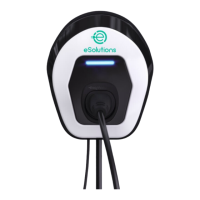
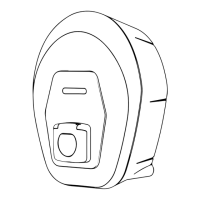
General overview of the easyWallbox, its design, and materials used.
Information about the identification label on the charging station, including model and serial numbers.
Detailed technical specifications of the easyWallbox charging device.
Explanation of the Dynamic Power Management feature for optimizing charging based on power availability.
Information on product versions and plug codes specific to different countries.
Guidelines for selecting a suitable and safe location for installing the easyWallbox.
Environmental conditions required for the proper installation and operation of the easyWallbox.
List of items included in the easyWallbox packaging.
Instructions on how to safely open the product packaging and inspect its contents.
Step-by-step instructions for securely mounting the easyWallbox onto a wall.
Guide to connecting the easyWallbox to the electrical network using the Plug&Play method.
 General
| Brand | Free2Move eSolutions |
|---|---|
| Model | easyWallbox |
| Category | Battery Charger |
| Language | English |

 To Next Page