25
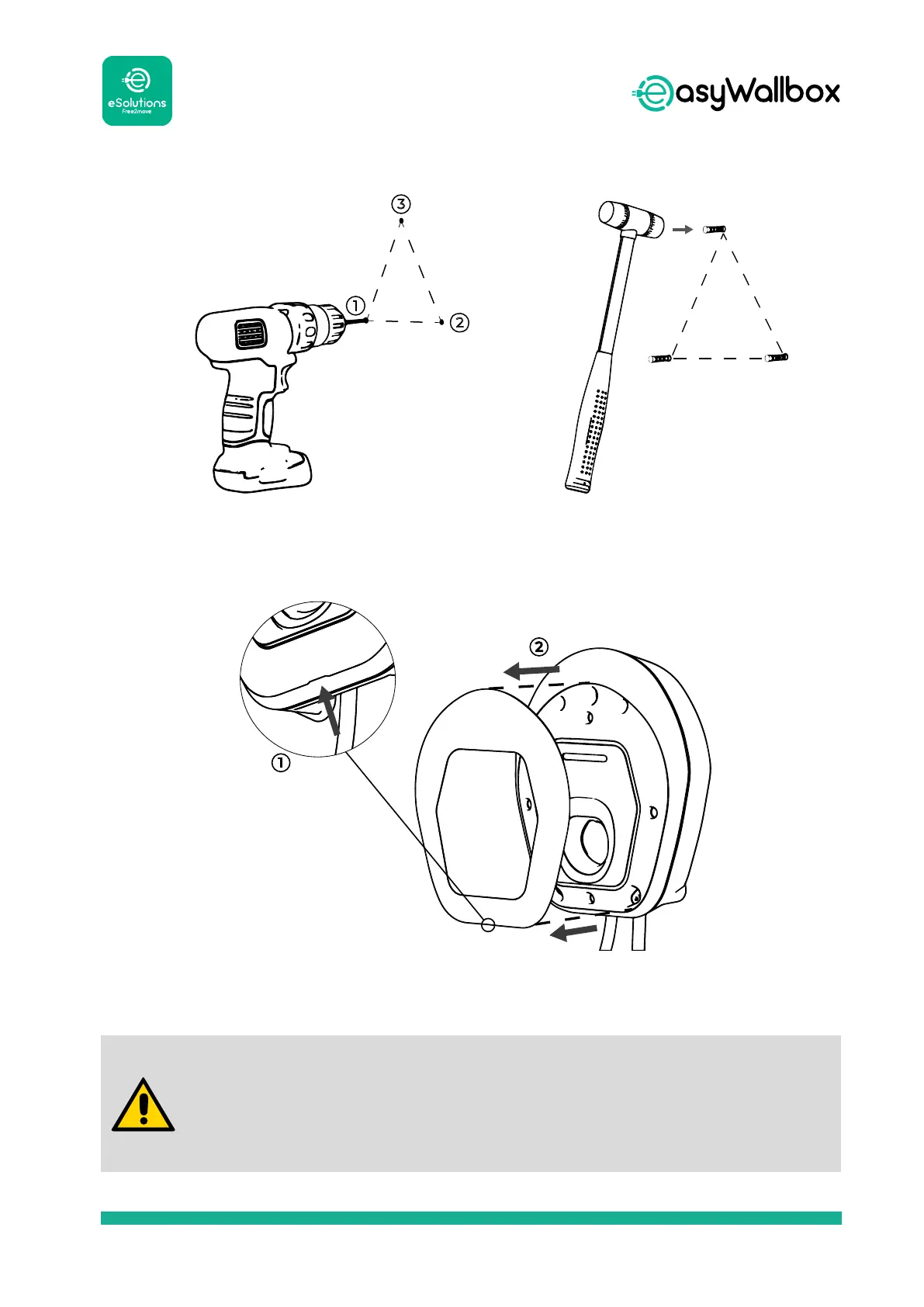
4. Remove the removable cover of easyWallbox set up by mechanical
interference in the CASE, using the groove on the bottom.
The only part that can be removed from easyWallbox is the
removable cover. easyWallbox should not be opened further
unless by qualied personnel during Power Upgrade installation,
dismantling or maintenance.
2. Use a drill to make the holes in
the wall.
3
1
2
3. Put the xing plugs into the
holes using a hammer.
1
2


 To Next Page