28
Freecom MediaPlayer-3
GB
7
7.4 Partitioning your MediaPlayer-3 under Windows XP / 2000
7.4.1 Deleting a partition on the MediaPlayer-3 under Windows
XP / 2000
1. Click with the right mouse button on the "My Computer" icon on your
desktop.
2. Select the option "Manage".
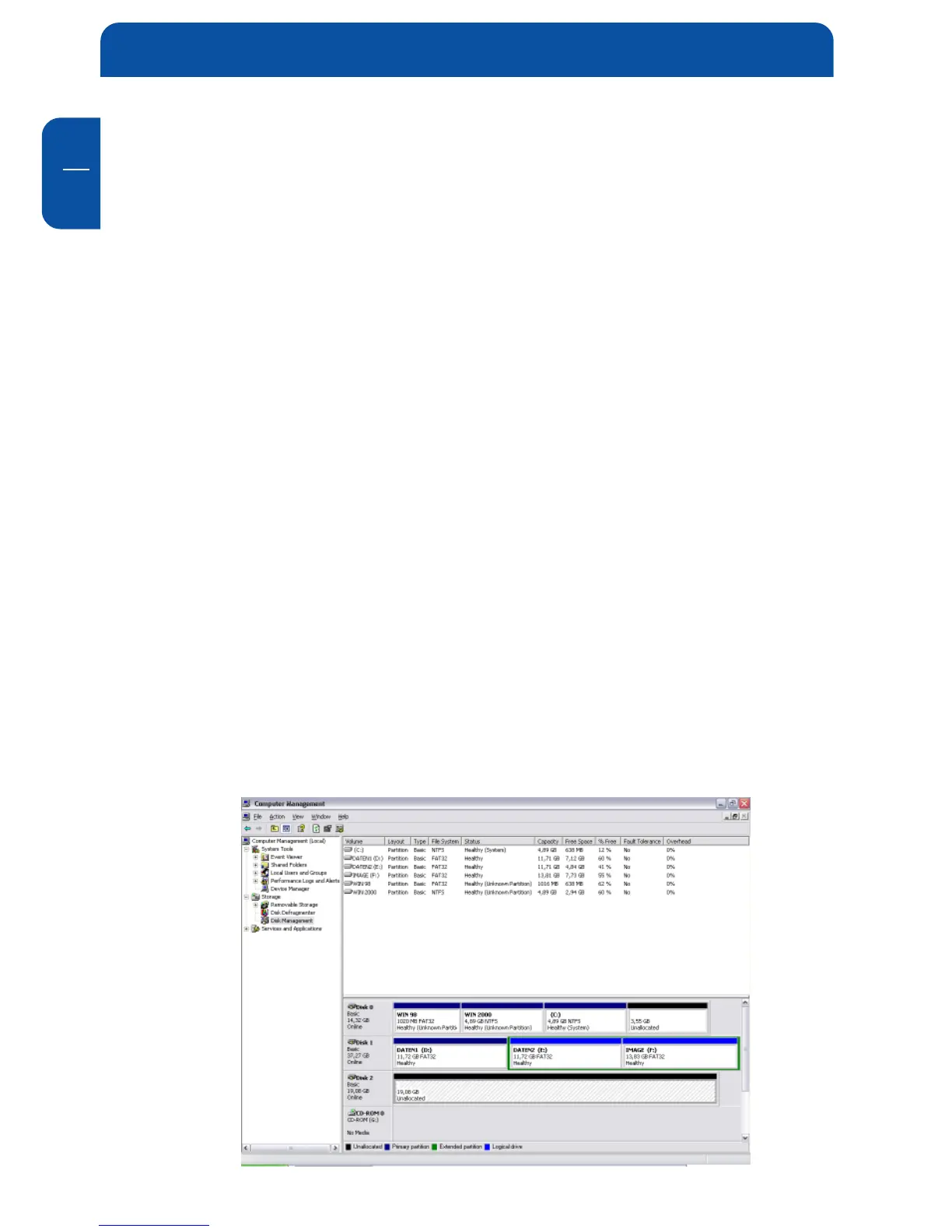
3. Select the option "Storage" -> "Disk Management".
4. Choose your external hard drive and right-click on the partition.
5. Select "Delete Partition" and confirm by clicking on "Yes". The partition will
be deleted now.
7.4.2 Creating a partition on the MediaPlayer-3 under Windows
XP / 2000
The following steps will guide you through the process of creating partitions on
your MediaPlayer-3. After this procedure your Freecom MediaPlayer-3 will be
ready for use and it will be allocated a drive letter.
1. Click with the right mouse button on the "My Computer" icon on your
desktop.
2. Select the option "Manage".
3. Select the option "Storage" -> "Disk Management".
4. Choose the hard disk, which is "unallocated".
Ensure that the entire drive is
"unallocated".


 To Next Page