29
GB
7
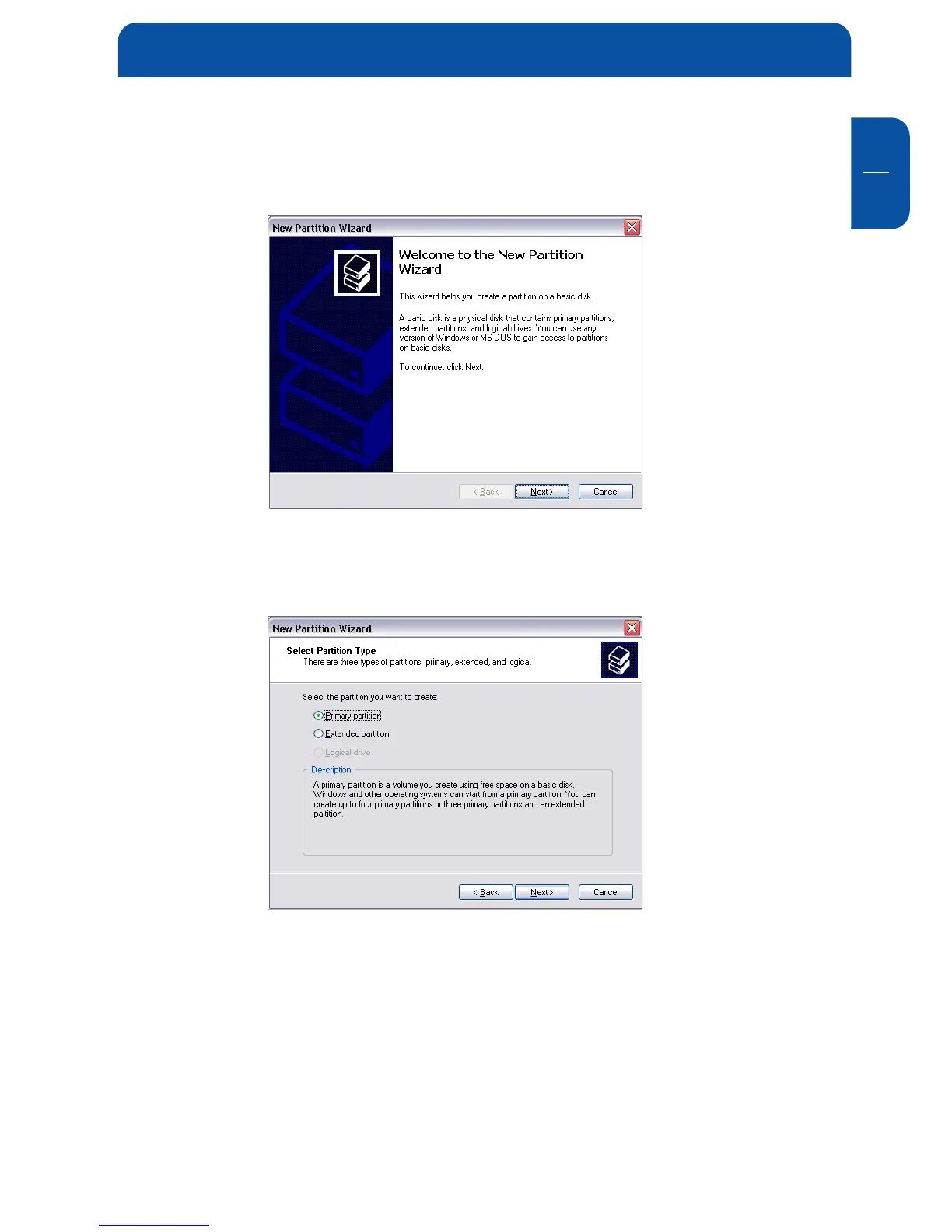
5. Click with the right mouse button on the "unallocated" area and select the
option "New Partition" (Windows 2000: "Create Partition Wizard"). The
"New Partition Wizard" opens. Click on "Next".
6. Select "Primary partition" and click on "Next".
7. Now you can adjust the size of your partition. Click on "Next" if only one
partition is to be created. See next chapter (Creating two or more partitions
on the MediaPlayer-3 under Windows XP/2000) how to create more than one
partition.
Partitioning your MediaPlayer-3


 To Next Page