30
Freecom MediaPlayer-3
GB
7
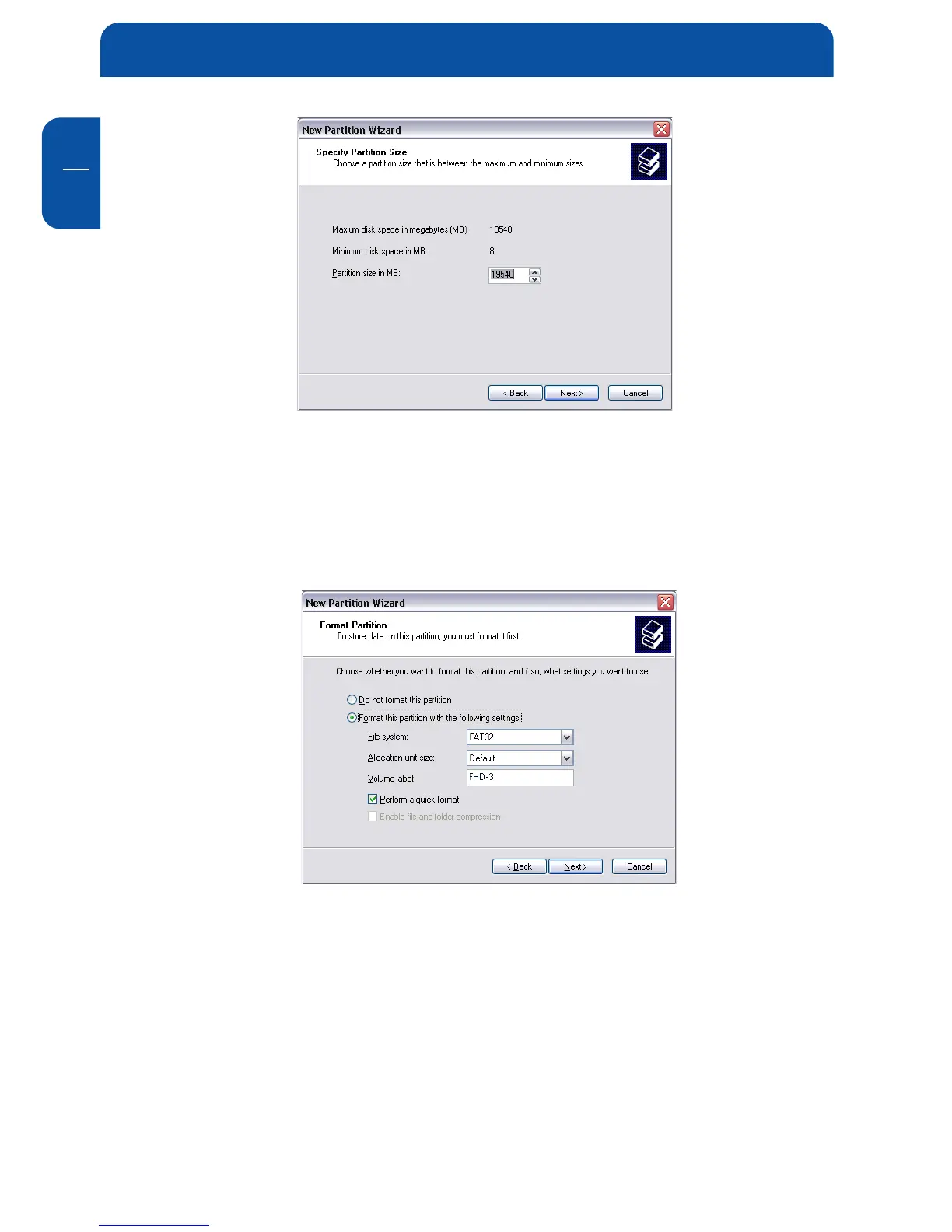
8. Assign a drive letter to your hard disk. Normally you can use the default
options. Click on "Next".
9. Select the formatting option. Choose either "FAT32" or "NTFS", the "Allo-
cation Unit Size" should remain on "Default". Finally select "Perform Quick
Format" and click on "Next".
10. Click on "Finish" to complete the partitioning of your MediaPlayer-3. Your
MediaPlayer-3 will be formatted now and is ready-to-use afterwards.


 To Next Page