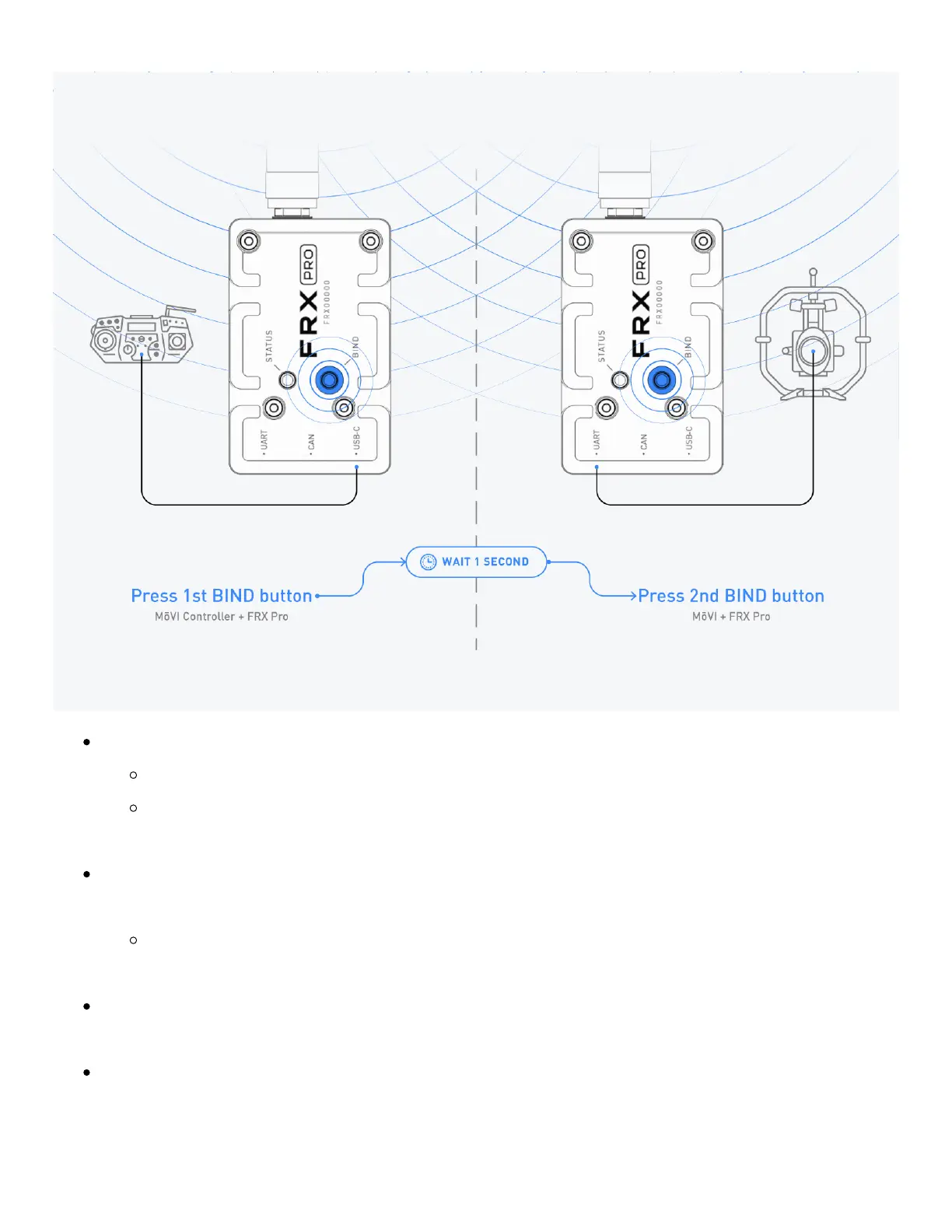
Turn on the gimbal and MōVI Controller that the FRX Pro's are going to link.
The FRX Pro's status light will turn white during boot and standby.
If the FRX Pro modules are already bound and connected to a gimbal and
controller which are running, the status lights will turn green after a few seconds.
If the status light remains white, press the bind button of the FRX Pro connected to the
controller, wait one second, then press the bind button of the other FRX Pro.
Both FRX Pro's status lights will begin flashing white and the modules will initiate
the binding procedure.
Once a data connection is established both the status lights on the FRX Pro modules
will turn green.
If the FRX Pro modules cannot establish a connection the status lights will turn red and


 To Next Page