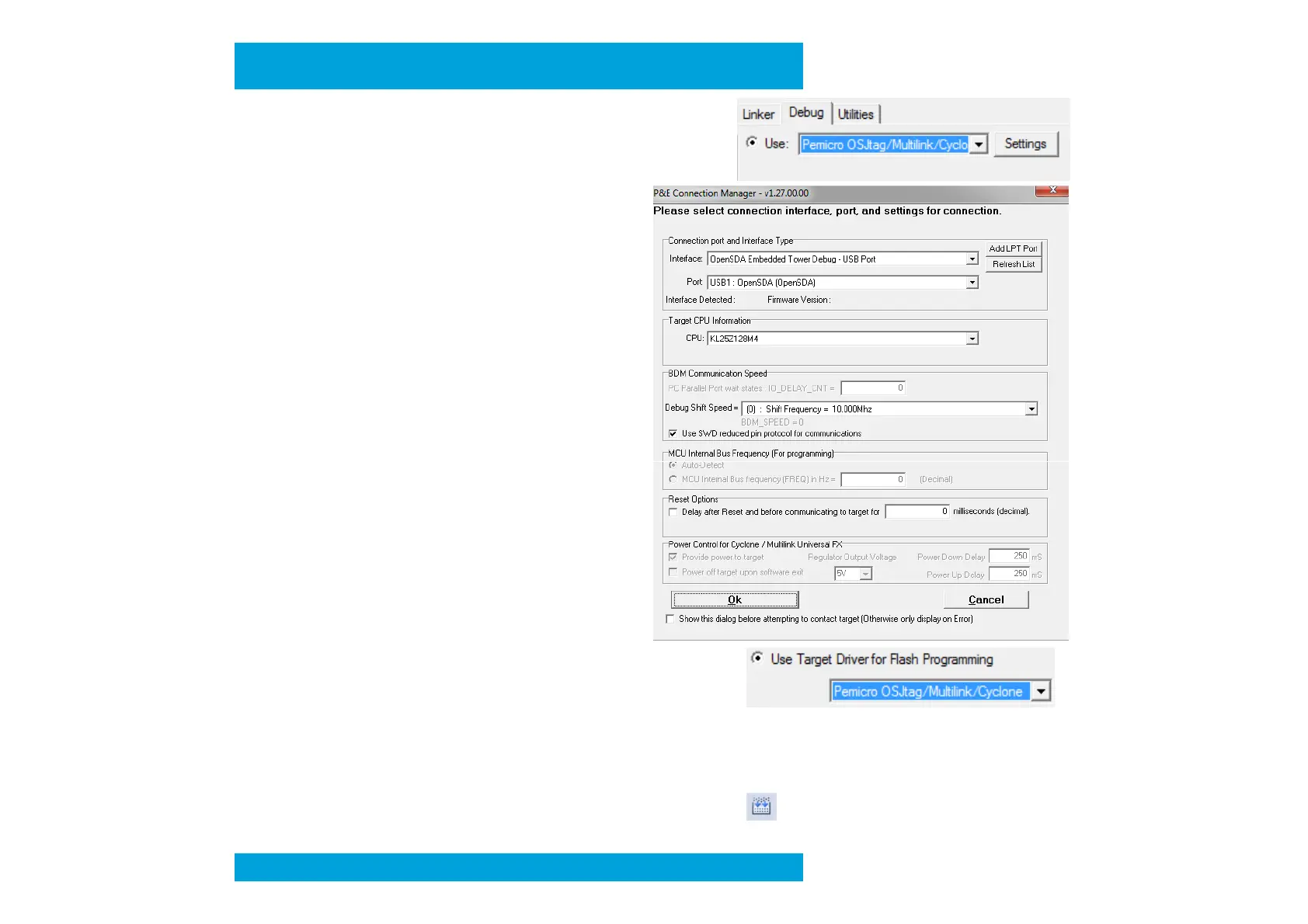
- Tab “Debug” select Use: ”Pemicro OSJtag/Multi …”
then click on “Settings” button
(if you don’t have Pemicro option, reinstall P&EMicro
Windows drivers and Keil Patch)
- In the new window, select the Interface
“OpenSDA Embedded Tower Debug”
then Port USB should be detected.
Define CPU “KL25Z128M4”
Select “Use SWD reduced pin protocol
for communications”
attempting to contact target”
Then press “OK”
- Tab “Utilities” select Use: ”Pemicro OSJtag/Multi …”
- Press “OK” button
• Select “Project” then “Clean Target”
• Select “Project” and “Rebuild All Target files” or press
Preliminary


 To Next Page