Freestream App Installation
Easily download the Freestream app within the App Store or Google
Play.
System Requirements:
iPad A7 and above iOS 8.0 and above Android 7.0 and above
Battery Charge
The lithium battery 14500 model and the charging stand are not
included in the package, and are available for purchase at www.
freestream.live. We recommend using fully charged batteries before
first use.
Technical Notes:
1. The nominal voltage of a lithium battery 14500 is 3.7V and the
maximum capacity is 800mAh. Some of the 14500 batteries in the
market exaggerate the actual battery capacity, so please choose
carefully.
2. The lithium battery needs to be paired together, mixing new
batteries in use with used batteries will shorten the use life of new
batteries.
Battery Installation
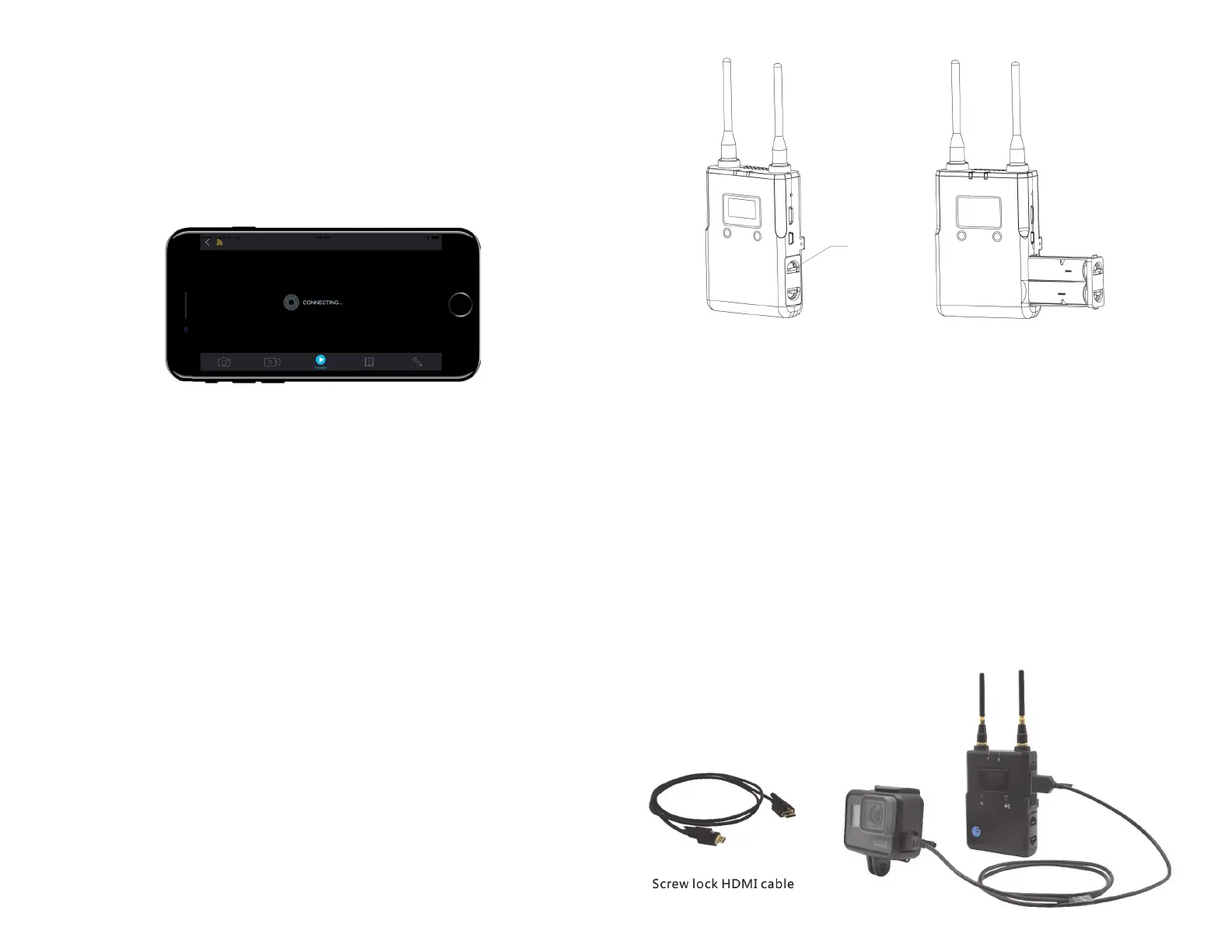
Pinch the paddle on the side of your transmitter and receiver to open
the battery compartment and remove the battery tray. Insert two
3.7V 14500 800mAh lithium-ion batteries and slide the tray back
in. Standard AA will not work. Make sure you put in your batteries
according to the diagram.
Antenna Installation
FREESTREAM comes with 4 antennas. When assembling the product,
screw the antennas to the antenna connectors on the top of the
transmitter and receiver.
Note: Make sure the transmitter and receiver antennas are fully
vertical when using the product to ensure the highest transmission
performance of the wireless signal.
Transmitter HDMI Cable Installation
Use the screw lock HDMI cable supplied to connect the transmitter to
a Gopro Hero 5 or any camera with a HDMI output interface.
Paddle


 To Next Page
 Loading...