VILTA
Smartphone Inst
allation & Balance
Smartphone Installation
01
Outwar
d
Inward
1
2
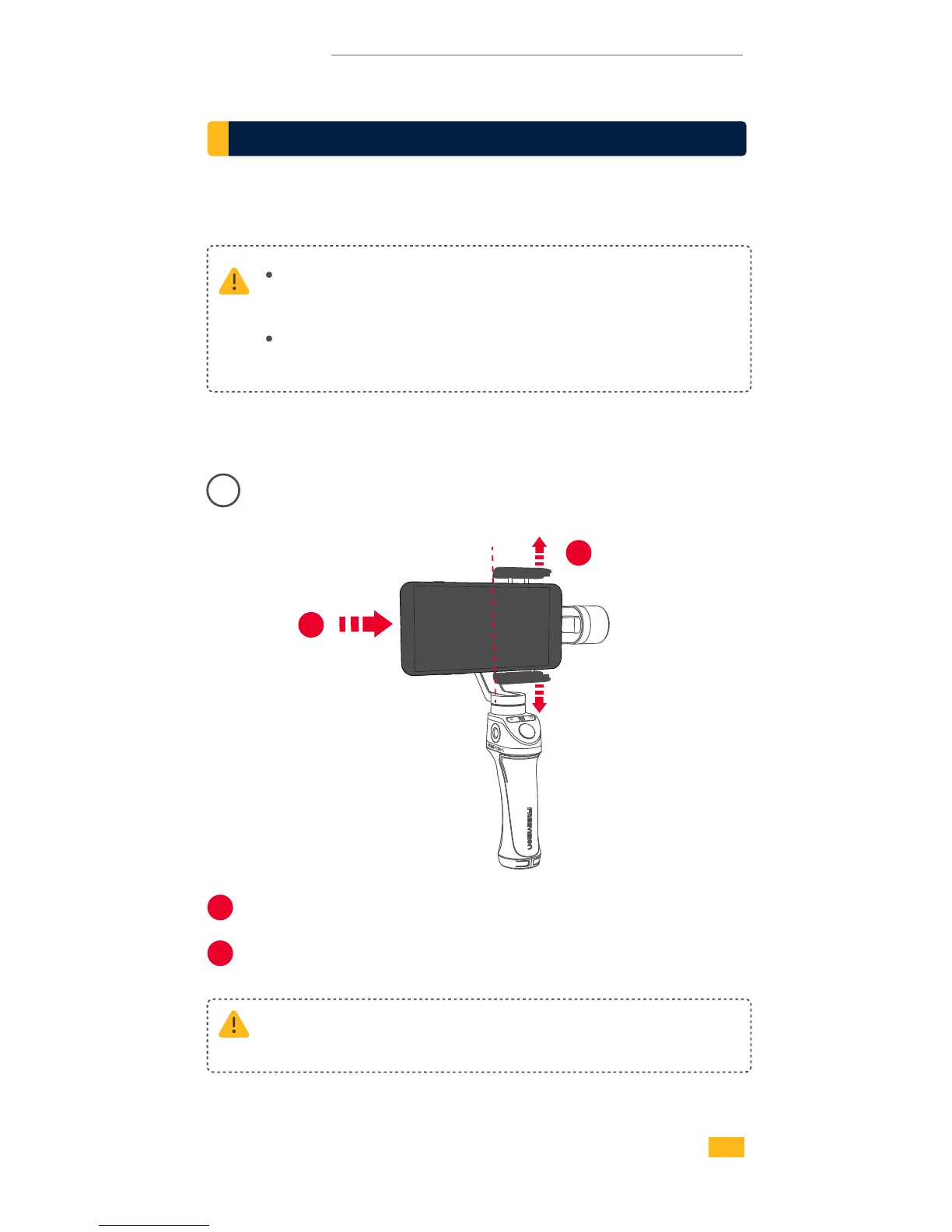
Pull open the smartphone mounting clip.
1
2
VILTA won ’t work unless mounting the phone.
Smartphone detection can be closed in App.
Always keep your phone well balanced in level prior to
power on, or it will greatly affect working performance.
Please ensure back camera of phone is outward and not
covered.
Put your phone in and keep it close to the tilt axis motor.
06


 To Next Page