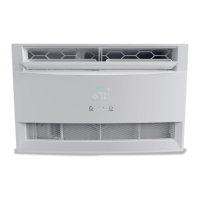
This document is a user manual for Freo window air conditioners, specifically models FHCW061AUQ and FHCW081AUQ. It provides comprehensive instructions for installation, operation, maintenance, and troubleshooting.
Function Description:
The Freo window air conditioner is designed to provide cooling for residential spaces. It features various operating modes including Cool, Fan, Dry, and Auto, allowing users to select the most suitable setting for their comfort needs. The unit also incorporates an Energy Saver mode to optimize power consumption and a Sleep mode to gradually adjust temperature overnight for energy conservation. A Follow Me function, accessible via remote control, enables temperature sensing from the remote's location for more precise comfort. The unit includes a filter reminder to prompt cleaning for efficient operation and an ionizer (optional) to help remove pollen and impurities from the air.
Important Technical Specifications:
- Models Covered: FHCW061AUQ, FHCW081AUQ
- Cooling Capacity: 5000-8000 Btu/h (for 14" (356mm) height) and 10000-12000 Btu/h (for 15-1/2" (394mm) height).
- Window Opening Width: Designed for standard double-hung windows with opening widths of 23 to 36 inches (584 mm to 914 mm).
- Power Supply: Requires a grounded 3-prong outlet.
- Refrigerant: R32 (flammable refrigerant, requiring specific handling and storage precautions).
- Temperature Range (Cool Mode): 17-30°C (62°F-86°F).
- Timer Setting Range: 0-24 hours.
- Filter Reminder: Activates after 250 hours of operation.
- Auto Defrost Mode: Engages if frost builds up on evaporator coils, cycling off the compressor while the fan continues to run.
- Restart Function: Automatically restarts with previous settings after unexpected power loss.
- Installation Slope: Requires a downward slope to the outside of 3° to 4° for proper water drainage.
Usage Features:
- Electronic Control Panel: Allows direct control of basic functions.
- Remote Control: Provides access to all functions, including those not available on the unit's control panel (e.g., Follow Me, Sleep, Energy Saver, Shortcut, Timer ON/OFF, LED display control).
- Operating Modes:
- Cool Mode: Provides active cooling.
- Fan Mode: Circulates air without cooling, with adjustable fan speeds (Low, Medium, High, Auto).
- Dry Mode: Dehumidifies the room.
- Auto Mode: Automatically selects operating mode based on room temperature.
- Temperature Adjustment: Use '+' and '-' buttons to set desired temperature. Can switch between °C and °F display.
- Fan Speed Control: Select from Auto, Low, Medium, or High fan speeds.
- Energy Saver Mode: Runs the fan for 3 minutes after the compressor turns off, then cycles on for 2 minutes every 10 minutes to maintain temperature.
- Sleep Mode: Gradually raises the room temperature overnight to save energy.
- Timer Functions (TIMER ON/OFF): Allows scheduling the unit to turn on or off at a specific time (0-24 hours). Timer settings increase in 30-minute increments up to 10 hours, then 1-hour increments up to 24 hours.
- Shortcut Button: Saves and activates favorite pre-settings with a single press.
- LED Display Control: Turns the indoor unit's LED display on or off.
- Louver Adjustment: Manual adjustment for left/right and up/down airflow direction.
- Current Detecting Plug: Features TEST and RESET buttons to ensure proper power supply and detect cord damage.
Maintenance Features:
- Air Filter Cleaning: The air filter should be cleaned at least once a month. It can be washed with liquid dishwashing detergent and warm water, rinsed, and dried, or vacuumed. The unit should not be operated without the air filter installed.
- Cabinet Cleaning: The cabinet and front can be dusted with an oil-free cloth or washed with warm water and mild liquid dishwashing detergent. Harsh cleaners, wax, or dangerous chemicals should not be used. Always unplug the unit before cleaning.
- Winter Storage: For seasonal storage, the unit should be carefully removed from the window, covered with plastic, or returned to its original carton. Ensure the unit is drained thoroughly before storage.
- Troubleshooting Tips: The manual includes a comprehensive troubleshooting guide to address common issues such as the unit not starting, insufficient cooling, ice formation, and unusual noises.
- Error Codes: Provides a list of error codes (HI, LO, AS, ES, CS, OS, E7) and their corresponding meanings, advising users to unplug the unit or contact service.



 To Next Page
 General