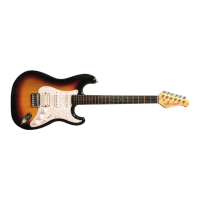
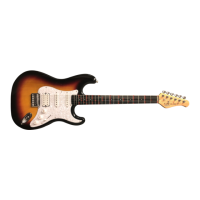
Connecting Your Fretlight 5 Guitar
Connecting Your Fretlight 5 GuitarConnecting Your Fretlight 5 Guitar
Connecting Your Fretlight 5 Guitar
Locate the Fretlight USB Cable included with your Fretlight 5 guitar. Connect one end of
the cable to your Fretlight 5 guitar, then connect the other end of the cable to the USB
port on your computer. The third connector (1/4” jack on the USB side of the cable) is for
the optional Fretlight dual footswitch.
DO
DODO
DO make sure your computer is connected to a 3-prong plug power outlet.
If you have a laptop, you can certainly use it without connecting to a power
supply.
DO
DODO
DO make sure that the Fretlight 5 USB cable is plugged into a root USB hub on
your computer (likely one of the USB ports on the back of a desktop computer).
DO
DODO
DO make sure that you are plugging into a wall outlet that is grounded
(i.e. 3-prong).
DON’T
DON’T DON’T
DON’T use a 2-prong plug or a 3-to-2 adapter plug.
DON’T
DON’TDON’T
DON’T use an external USB hub. The Fretlight 5 MUST be connected directly to
the root hub of your computer.
Try not to use power strips or extension cords as this WILL introduce extra noise
into the system.
Make sure that you’re using a shielded guitar cable. Cable quality can make a
significant difference in extraneous noise introduced into the system.
We recommend using a name brand, good quality cable.
Page 3
Installing the Fretlight 5 Studio Software
Installing the Fretlight 5 Studio SoftwareInstalling the Fretlight 5 Studio Software
Installing the Fretlight 5 Studio Software
For PC Users:
For PC Users:For PC Users:
For PC Users:
1. Insert the “Fretlight Software Installation” disc into your computer. A menu screen
will pop-up. Click the "Install" button. Follow the on-screen prompts to install your
software. Helpful hint:
Helpful hint: Helpful hint:
Helpful hint: Check the box that installs a shortcut on your desktop.
2.
2.2.
2.
Launch the Fretlight Studio for the Beginner software from your desktop by double-
clicking the “Fretlight Studio for the Beginner” shortcut icon.
For Mac Users:
For Mac Users:For Mac Users:
For Mac Users:
1. Insert the Fretlight Software Installation disc into your computer. Double click the
disc icon, then double-click the “Studio 6 For The Beginner Installer.pkg”
“Studio 6 For The Beginner Installer.pkg” “Studio 6 For The Beginner Installer.pkg”
“Studio 6 For The Beginner Installer.pkg” file.
2.
2.2.
2.
Launch the “Fretlight Studio for the Beginner” software from your desktop by double
-clicking the Fretlight Studio for the Beginner icon.
Note:
Note: Note:
Note: Always check online at www.fretlight.com for the latest software updates.
Note:
Note: Note:
Note: No disc drive? No problem! You can download the Fretlight Studio 6 for the
Beginner Software and Starter Pack videos here: www.fretlight.com/5softwareinstall


 To Next Page