
 Need help?
Do you have a question about the Fridababy 61-067 and is the answer not in the manual?
Critical safety precautions and potential hazards for thermometer use, including choking hazards and battery safety.
Instructions for proper use, health disclaimers, and pre-measurement recommendations for accurate readings.
Detailed device specifications including measurement range, accuracy, operating conditions, and battery type.
FCC statement and compliance information regarding radio frequency energy and potential interference.
Instructions for performing rectal, oral, and underarm temperature readings, including mode selection.
Guidance on obtaining 10-second quick checks and 30-second final readings, and changing units (°F/°C).
Instructions for accessing memory mode, powering the device on/off, and managing readings.
Step-by-step guide for replacing the thermometer's battery when indicated.
Recommended methods for cleaning and disinfecting the thermometer to ensure hygiene and prevent damage.
Explanation of common error codes (Hi, Err) and their potential causes and solutions.
Information on what constitutes normal body temperature and how to identify a fever.
The Fridababy 3-in-1 True Temp Thermometer is a versatile digital thermometer designed for quick and accurate temperature readings in infants and children. It offers three measurement methods: rectal, oral, and underarm (axillary), making it suitable for various age groups and situations. The device provides both a 10-second predictive quick read and a 30-second final temperature read, ensuring efficiency and precision.
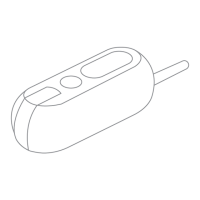
The primary function of this thermometer is to measure body temperature to detect fever. It is equipped with a flexible tip for comfortable use and an LED light, particularly useful for rectal readings in low-light conditions, such as during the night. An insertion stopper is integrated for rectal measurements to prevent over-insertion, enhancing safety for infants. The thermometer displays readings in either Fahrenheit (°F) or Celsius (°C), selectable by the user.
The device operates in a predictive mode, offering an initial quick reading and then a more stable final reading. It stores the last 10 temperature values in its memory, allowing parents to track temperature changes over time without needing to manually record them. This memory function is accessible even when the device is off.
Power On/Off: To turn the thermometer on, simply press the Power Button. The last temperature reading will be displayed on the LCD screen. To turn it off, press the Power Button again at any point during a reading or after the reading is complete.
Mode Selection (Rectal, Oral, Underarm): The thermometer defaults to rectal ("rct") mode, which is recommended by the AAP for babies up to one year old (and ideally up to three years). To change the mode, turn the device on and wait for the screen to light up. Then, hold the Power Button for 3 seconds when the current mode ("rct," "orl," "udr") flashes. Press the button once to scroll through the modes. Once the desired mode is displayed, either wait 3 seconds for it to register or press the button for 3 seconds to confirm the selection and proceed with the reading. For oral and underarm use, the white probe button on the side can be pressed to flip the tip into the appropriate position.
Temperature Reading Process: Once the thermometer is inserted into the appropriate body part based on the selected mode, the screen will show a loading "wheel" while registering the temperature.
Unit Selection (°F/°C): To switch between Fahrenheit and Celsius, turn the thermometer on. When the last temperature reading flashes, hold the Power Button for 3 seconds. Press the button once to scroll to the next unit. Once the preferred unit is displayed, press the button for 3 seconds to confirm the selection.
Memory Mode: To access stored readings, press and hold the Power Button for 3 seconds when the device is off. Once in memory mode, press the button once to scroll through the last 10 memory readings. To exit memory mode, press and hold the button for three seconds.
Battery Replacement: The thermometer indicates a low battery when a "" symbol appears in the lower right corner of the LCD display. To replace the battery, pull off the battery door and open the battery chamber. Discard the old battery responsibly and replace it with a new 3.0V DC button type CR2032 or equivalent. Then, slide the battery chamber back into place and reattach the battery door.
Cleaning and Disinfection: After each use, it is crucial to disinfect the thermometer, especially if it is used both rectally and orally.
Storage: Store the thermometer in its provided storage case when not in use. Remove the battery for long-term storage to prevent damage.
Troubleshooting: The manual provides guidance for error codes such as "Hi" (temperature above range), "Lo" (temperature below range), and "Err" (system malfunction). For "Hi" and "Lo" errors, wait a few minutes and attempt a new measurement. For "Err," attempt a new measurement; if the error persists, contact customer care. If the battery icon is flashing, indicating a dead battery, replace it with a new one.
Disposal: Do not dispose of used batteries in household trash. Consult your local recycling center for proper disposal. Keep used batteries away from children, pets, and excessive heat.
 General
| Model Number | 61-067 |
|---|---|
| Auto-Off | Yes |
| Included Accessories | Storage case |
| Type | Digital thermometer |
| Measurement Method | Rectal |
| Measurement Sites | Rectal |
| Age | All ages |
| Material | Plastic |
| Accuracy | ±0.1°C (±0.2°F) |
| Display | Digital |
| Memory Function | Last reading recall |
| Fever Alert | Yes |
| Special features | Flexible tip |

 To Next Page