EasyManua.ls Logo

FRIDEN STW - Page 133

Default Icon
161 pages
Print Icon
To Next Page IconTo Next Page
To Previous Page IconTo Previous Page
Loading...
‘FRIDEN
CALCULATING
MACHINE
CO.,
INC.
Pave}
FRIDEN
CALCULATING
MACHINE
TEST
.
This
test
is
to
te
used
with
Form
73-7
Calculstor
Unpacking
Inspection
Record
which
~
.
is
enclosed
wits
each
Calculator.
When
a
Friden
Celcwlatar
is
received
from
the
Factary,
it
should
be
tested
by
&
qualified
member
of
the
Service
Department.
Dis-
crepancies
that
ere
found
are
to
be
recorded
under
the
proper
Item
on
Form
73-7
which
is
to be
returned
to
the
General
Service
Department
at
San
Leandro.
If
no
discrepancy
is
recorded
-
do
not
return
Form
73-7.
Use
this
test
for
testing
a
machine
which
has
been
repaired.
$ F
TUEM-1
-
covers
. :
"3.
7
++
Cheek
the
condition
of
the
paint,
the
fit
of
the
cavers
and
check
for
dents
or
damage.
Y
:
i"
;
Trem
2
-
ELECTRICAL
Without
a
selection
in
the
Keyboard
and
the
Add
Key
up,
depress
the
Plus
Key
to
close
the
Micro
Switch.
Check
for
the
proper
operation
of
the
switch
and
motor.
TIEMS
3-4
MAIN
KEYBOARD
KEYS
&
XSYSOARD
COLUMN
LOCKS
eeu
Depress
all
"9"
Keys.
Release
each
"O"
Key
by
slowly
depressing
each
column
Clear
Key;
then
follow
by
depressing
211
"8"
Keys
and
releasing,
all
"7"
Keys
and
relessing,
etc.
Next
depress
all
"9"
Keys;
pull
up
eats
ell
Seperate
Colum
Lock
Keys;
try
Keyboard
Clesr
Kay;
also,
try
to
depress
other
numerel
keys
in
eech
colum.
all
columns
should
remein
locked.
Clear
each
column
with
Separete
Colum
Clear
Keys;
depress
ell
"1"
Keys;
clear
with
Keyboard
Cleer
Key,
and
all
Keys
ahoule
clear.
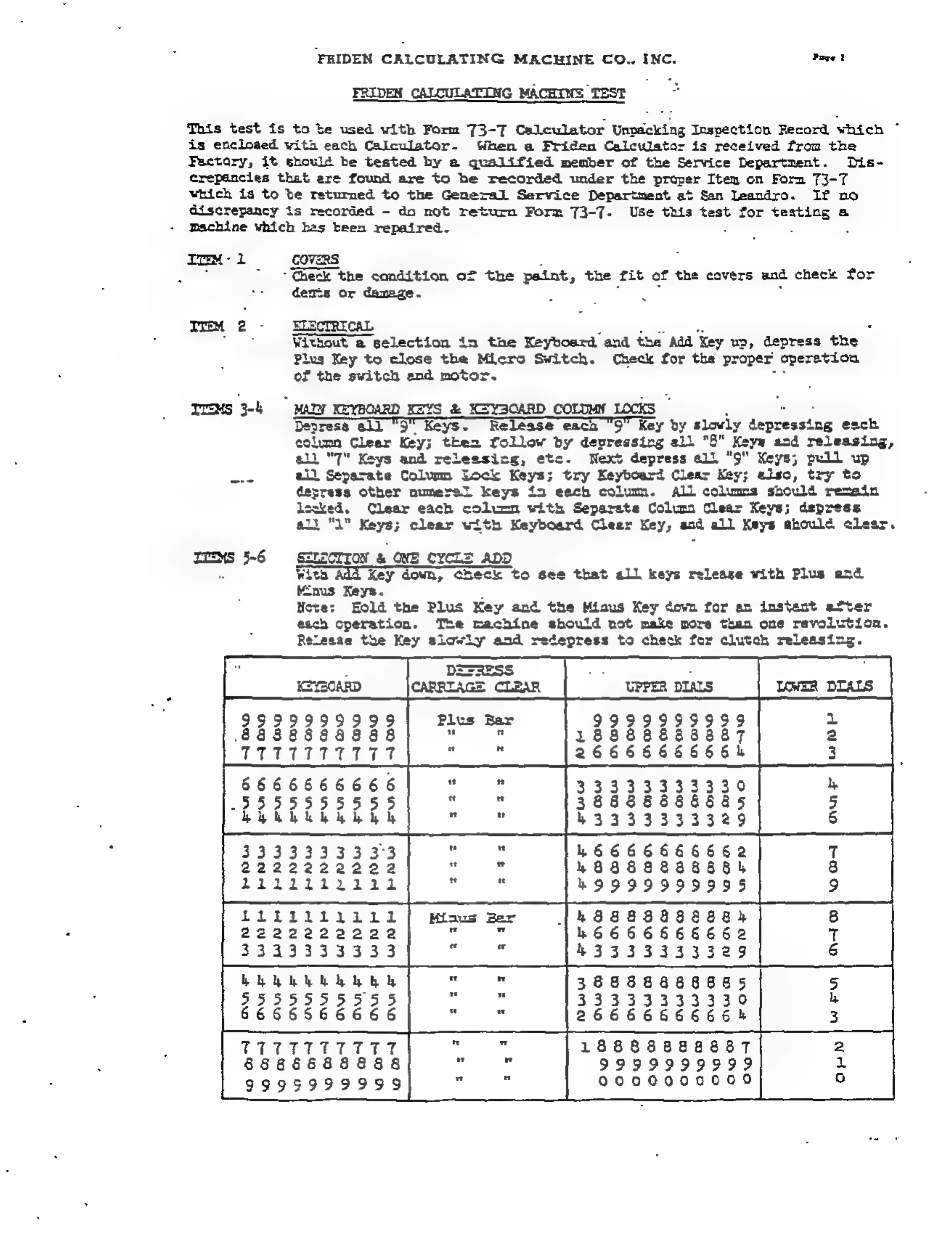
TEEMS
5-6
SELECTION
&
ONE
CYCLE
ADD
With
Add
Key
down,
Check
to
see
that
all
keys
release
with
Plus
end
tEnus
Keys.
:
Neve:
Hold
the
Plus
Key
and
the
Miaus
Key
down
for
en
instent
after
esch
operation.
The
machine
should
not
make
more
than
one
revolution.
Release
the
Key
slowly
and
redepress
to
check
for
clutch
releasing.