EasyManua.ls Logo

FRIEDLAND Libra+ - User Manual

FRIEDLAND Libra+
7 pages
Print Icon
To Next Page IconTo Next Page
Loading...
2
Libra+ Converter/Push
Thank you for choosing this Friedland product. Please use the following
instructions to ensure correct installation and use. Keep these notes in a safe place for
future reference.
Unpack your push and identify the
following parts:
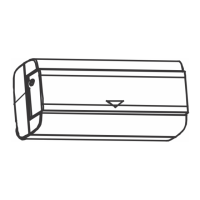
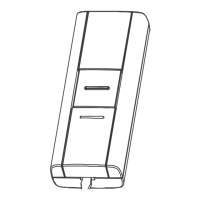
Bell Push/Converter
CR2032 battery for bell push
2 x fixing screws for push
Bell wire (for use with a wired push)
Adhesive pad
You will need:
A 4mm cross-head screwdriver
A small flat bladed screwdriver
Checking pack contents
Before proceeding with the installation,
please note the following safety warnings:
¬ Always follow the manufacturer’s advice
when using power tools and wear suitable
protective equipment (e.g. safety goggles)
when drilling holes etc.
¬ Before drilling holes in walls, check for
hidden electricity cables and water pipes,
the use of a cable/pipe locater maybe
advisable if in doubt.
¬When connecting the landscape
push/converter to other manufacturers’
equipment, check manuals and if necessary
consult the manufacturer regarding suitability
for the intended use.
Safety
You need to do the following to get started:
Open the bell push/converter
Fit the push battery
Follow the programming procedure for your
Libra+ chime.
Quick start
Question and Answer IconNeed help?

Do you have a question about the FRIEDLAND Libra+ and is the answer not in the manual?

Summary

Product Overview and Setup

Checking Pack Contents

Lists all items included in the Libra+ Converter/Push package for verification.

Required Tools

Details the necessary tools for the installation and setup process.

Quick Start Guide

Provides immediate steps to begin using the bell push/converter.

Installation Procedures

Opening the Bell Push and Removing Nameplate

Instructions on how to access the internal components of the bell push.

Fitting the Push;Converter Battery

Guidance on correctly inserting the battery into the device.

Mounting the Bell Push;Converter

Methods for securely attaching the push unit to a surface.

Functionality and Connections

Push;Converter Functions

Explains the various uses and compatibility of the push/converter unit.

Typical Connections

Illustrates common wiring configurations for different applications.

Troubleshooting and Specifications

Troubleshooting Common Issues

Addresses potential problems and their solutions for the device.

Product Specifications

Details technical data including operating temperature, range, and IP rating.

Disposal and Recycling Information

Guidance on the environmentally responsible disposal of the product.

Declaration and Guarantee

Provides compliance declaration and warranty information for the product.

Summary

Product Overview and Setup

Checking Pack Contents

Lists all items included in the Libra+ Converter/Push package for verification.

Required Tools

Details the necessary tools for the installation and setup process.

Quick Start Guide

Provides immediate steps to begin using the bell push/converter.

Installation Procedures

Opening the Bell Push and Removing Nameplate

Instructions on how to access the internal components of the bell push.

Fitting the Push;Converter Battery

Guidance on correctly inserting the battery into the device.

Mounting the Bell Push;Converter

Methods for securely attaching the push unit to a surface.

Functionality and Connections

Push;Converter Functions

Explains the various uses and compatibility of the push/converter unit.

Typical Connections

Illustrates common wiring configurations for different applications.

Troubleshooting and Specifications

Troubleshooting Common Issues

Addresses potential problems and their solutions for the device.

Product Specifications

Details technical data including operating temperature, range, and IP rating.

Disposal and Recycling Information

Guidance on the environmentally responsible disposal of the product.

Declaration and Guarantee

Provides compliance declaration and warranty information for the product.

FRIEDLAND Libra+ Specifications

General IconGeneral
TypeWireless Doorbell
ModelLibra+
Power SupplyBattery Operated
Volume ControlYes
ColorWhite
Power Source (Push Button)Battery

Related product manuals