HT FUSE: Only replace with designated fuse value, appropriate to the voltage in your country. If this blows, don’t
freak out too much. It’s most likely a bad power tube. We recommend you carry a few spare fuses and a spare
set of tubes when gigging. If the fuse continues to blow after swapping out the tubes email us for support at
FriedmanAmps@gmail.com and we’ll help you sort it out…
MAINS FUSE: Replace with 2 amp Slo-Blo (North American Voltage – 117V) or 1 amp Slo-Blo (Euro Voltage-230V).
This is located in the IEC Housing.
MAINS INPUT: Plug the supplied IEC power cord here (make sure the mains voltage is correct).
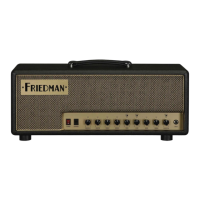
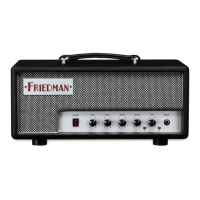
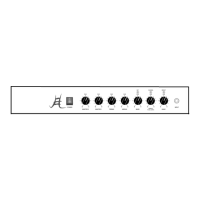
RUNT-50 FRONT PANEL
POWER SWITCH: Turn this ON to power the Runt-50.
PRESENCE CONTROL: Shapes the high-frequency response of the power amp (global control).
DIRTY CHANNEL:
MASTER CONTROL: Volume for the dirty channel.
TREBLE CONTROL: This adds or subtracts treble. Start at 5 and adjust to taste.
BASS CONTROL: This adds or subtracts bass or bottom end. As the amp gets louder you may want to back
this off a bit. Start at 7-10 for bedroom volumes.
MIDDLE CONTROL: Adds or subtracts midrange. Start at 5 or 6, lower settings will scoop the mids, higher
levels will allow your audience to actually hear the guitar in the mix.
GAIN CONTROL: Adds or subtracts gain. This knob is responsive and shapes the entire channel.
BOOST SWITCH: Adds gain to the dirty channel.
CLEAN CHANNEL:
BASS CONTROL: This adds or subtracts bass or bottom end. As the amp gets louder you may want to back
this off a bit. Start at 4-5 for bedroom volumes.
TREBLE CONTROL: This adds or subtracts treble. Start at 5 and adjust to taste.
CLEAN VOLUME: The volume control for the clean channel.
BRIGHT SWITCH: This is a 3-position bright switch for Clean Channel only. Feel free to experiment with this to
get “your” tone.
CHANNEL SWITCH: When your footswitch is not plugged in, you can use this switch to change your channels.
INPUT: Just like it says. This is the Runt’s Guitar Input Jack. This is where you insert your guitar cable if you want
to hear this Runt bark
RUNT-50 REAR PANEL
FOOT-SWITCH JACK: Insert footswitch cable here.
SEND JACK: This is where you plug the INPUT of your Effect(s). Use a high quality shielded guitar cable.
RETURN JACK: This is where you plug the OUT of your Effect(s). Use a high quality shielded guitar cable.
BALANCED OUTPUT: XLR output used to send your Runt tone straight to the mixing board.
GND SWITCH: Lift ground to prevent ground loops. Start with placing in LIFT position.
AXIS SWITCH: Simulates MIC placement on the center of the speaker or the edge/surround.


 To Next Page
 Loading...