Need help?
Do you have a question about the Friendess FSCUT4000 and is the answer not in the manual?
Provides an overview of the FSCUT4000 high-performance laser cutting system and its applications.
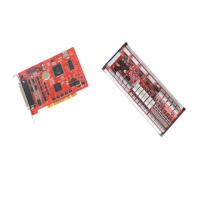
Details the connection diagram for the BMC1214 control card and BCL3724 I/O terminal.
Lists technical specifications for motion control, laser control, I/O functions, work environment, and power supply.
Guides users through the step-by-step process of installing the control card, including precautions.
Provides solutions for common issues encountered during control card installation, like device recognition problems.
Describes the BCL3724 I/O terminal board and its layout, including pin connections for axes and outputs.
Explains different signal types for inputs and outputs, including how to set PWM voltage via DIP switch.
Lists specifications for external power supply and servo control ports, including pin descriptions for the servo interface.
Illustrates the overall wiring diagram connecting the BMC1214, BCL3724, servo drives, laser, and inputs/outputs.
Details wiring configurations for various laser models, including YAG, CO2, IPG, SPI, FEIBO, JK/GSI, Rofin, Raycus, and Max lasers.
Explains how to install and access the CypCut machine configuration program.
Provides the initial password required to start the machine configuration tool.
Introduces the user interface of the Machine Config Tool, explaining navigation and key functions like import/save.
Details how to configure mechanism structure, drive modes, axis ranges, and compensation methods.
Explains motor axis checking and the 'Motor runaway check' process to ensure proper motor feedback and direction.
Details configuration parameters for CO2 lasers, including shutter, DA select, and model selection.
Explains configuration for IPG lasers, including PWM enable, DA select, IPG types, and communication methods.
Covers configuration settings for various other laser types, including shutter and delay options.
Guides on using BCS100 as a height control unit, including network configuration and IP address setup.
Explains how to use external devices as height controllers via I/O control mode, detailing functions like start, stop, and jog.
Explains how to display and edit warning messages for machine operation.
Describes the function of the emergency stop button and its role in triggering an alarm.
Explains the safety mode used for machine maintenance, restricting speed and laser power.
Guides on assigning input ports as alarms, editing descriptions, and setting active levels.
Defines the maximum dual-drive position error that triggers an alarm.
Explains output configuration for aiming, lasering, working, alarm lamps, and ready signals.
Describes how to assign I/O for auto lubrication and its time/mileage interval control.
Explains custom output assignment for software buttons with contact or self-lock control.
Details regional output usage for dust extraction and turn-off delays between regions.
Guides on checking power supply connections to the BCL3724 and BMC1214 boards, emphasizing safety precautions.
Outlines initial checks for machine motion configuration, including motor type, pulse equivalent, and dual-Y axis rotation.
Details how to check hardware signals using the IO Monitor in CypCut, verifying all input/output signals.
Explains how to perform basic motion tests, setting conservative PID values and testing individual motor axes.
Guides on testing basic CypCut functions like jogging, laser control, and gas system operation.
Describes how to perform automatic adjustment of position-loop PID parameters within CypCut.
Identifies error sources and checking points for motor runaway issues, related to feedback pulses and wiring.
Details error sources and checking points when encoder and speed checks fail, involving parameter matching and signal disturbance.
Explains error sources and checking points for large position errors due to feedback differences from command position.
Explains the importance of inertia ratio and how to calculate it using ServoTools for performance analysis.
Describes key motion control parameters like travel speed, acceleration, and precision, and their impact on performance.
Guides on adjusting cutting acceleration by monitoring torque curves and considering mechanical load limits.
Explains how to adjust travel acceleration, considering load, torque, and mechanical limits.
Details how to adjust low-pass filter frequency to suppress vibration and improve contour precision.
Advises on fine-tuning curve and corner precision, balancing precision with cutting speed.
Provides solutions for slow cutting or jamming issues, including graphic optimization and parameter checks.
Offers solutions for corner over-burning, suggesting adjustments to low-pass filter, corner precision, and power.
Guides troubleshooting steps for laser no emission, including checking laser settings, PWM/DA signals, and wiring.
Introduces the 'fly cut' or 'scan line cut' function for high-speed cutting of arrayed parts.
Explains pitch error compensation for mechanical errors in ball screws and gear racks using measurement data.
Guides on setting up motion paths in CypCut for interferometer data capture and analysis.
Explains how to import measurement data files from interferometers into CypCut for pitch error compensation.
Lists the sequential steps for performing pitch error compensation using CypCut and an interferometer.
Addresses common questions regarding pitch error compensation, including issues with compensation change and data curve symmetry.
 General
| Control axis number | 4 |
|---|---|
| Laser head number | 1 |
| Z axis number | 1 |
| Communication method with the drive | EtherCAT |
| Communication method with the computer | Ethernet |

 To Next Page