EasyManua.ls Logo

Frigidaire 308-2414FR - User Manual

Frigidaire 308-2414FR
6 pages
Print Icon
To Next Page IconTo Next Page
Loading...
Model: 308-2414FR www.lacrosseclock.com/support Page | 1
Model: 308-2414FR
Instruction Manual
DC: 103015
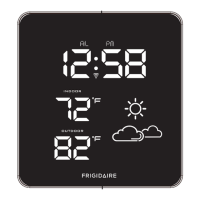
LED ALARM WEATHER STATION
WITH IN/OUT TEMPERATURE
LED
Reset
Stand
Battery
Compartment
2 AAA batteries
TW004
Outdoor Sensor
BUTTONS
Note: This product display
temperature in Fahrenheit only.
AC Adapter 4.5V
KU1B-045-0200D
Stand
(please attach
stand to station)
Question and Answer IconNeed help?

Do you have a question about the Frigidaire 308-2414FR and is the answer not in the manual?

Summary

WWVB Atomic Time Signal Search

Atomic Signal Reception Status

Explains the meaning of different icon states during atomic time signal search.

Get Started

Initial Setup Steps

Step-by-step instructions for powering up and connecting the weather station and sensor.

Manual Set Time

Time Setting Order

Details the sequence for manually setting time, time zone, and DST.

Set Time Alarm

Alarm Activation and Snooze

Instructions on how to activate, deactivate, and use the snooze function for the alarm.

Dimmer Function

Explains how to adjust the display brightness using the Zz button.

Forecast Icons

Reset Button

Position the Weather station

Set on table or desk

Instructions for attaching the stand to place the station on a desk or table.

Wall Mount

Instructions for removing the stand and mounting the station on a wall.

Search for Outdoor Sensor

Position Outdoor Sensor

Care and Maintenance

Specifications and Battery Life

Warranty and Support Information

FCC and Canada Regulatory Statements

Summary

WWVB Atomic Time Signal Search

Atomic Signal Reception Status

Explains the meaning of different icon states during atomic time signal search.

Get Started

Initial Setup Steps

Step-by-step instructions for powering up and connecting the weather station and sensor.

Manual Set Time

Time Setting Order

Details the sequence for manually setting time, time zone, and DST.

Set Time Alarm

Alarm Activation and Snooze

Instructions on how to activate, deactivate, and use the snooze function for the alarm.

Dimmer Function

Explains how to adjust the display brightness using the Zz button.

Forecast Icons

Reset Button

Position the Weather station

Set on table or desk

Instructions for attaching the stand to place the station on a desk or table.

Wall Mount

Instructions for removing the stand and mounting the station on a wall.

Search for Outdoor Sensor

Position Outdoor Sensor

Care and Maintenance

Specifications and Battery Life

Warranty and Support Information

FCC and Canada Regulatory Statements

Frigidaire 308-2414FR Specifications

General IconGeneral
BrandFrigidaire
Model308-2414FR
CategoryWeather Station
LanguageEnglish